Storefront
In short: Your Storefront is your public website on PersonaCart: the pages, theme, menus, blog and media your buyers see.
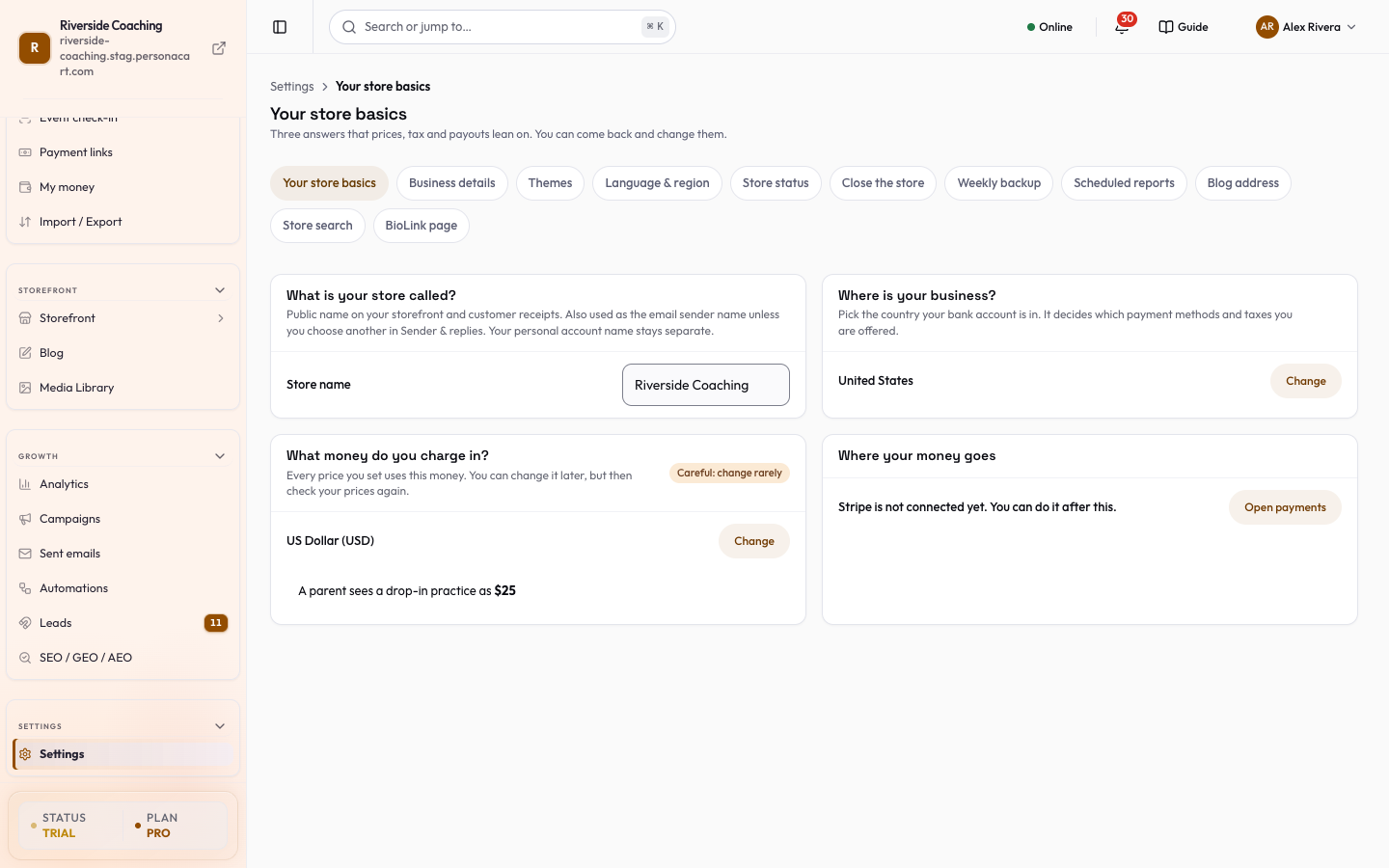
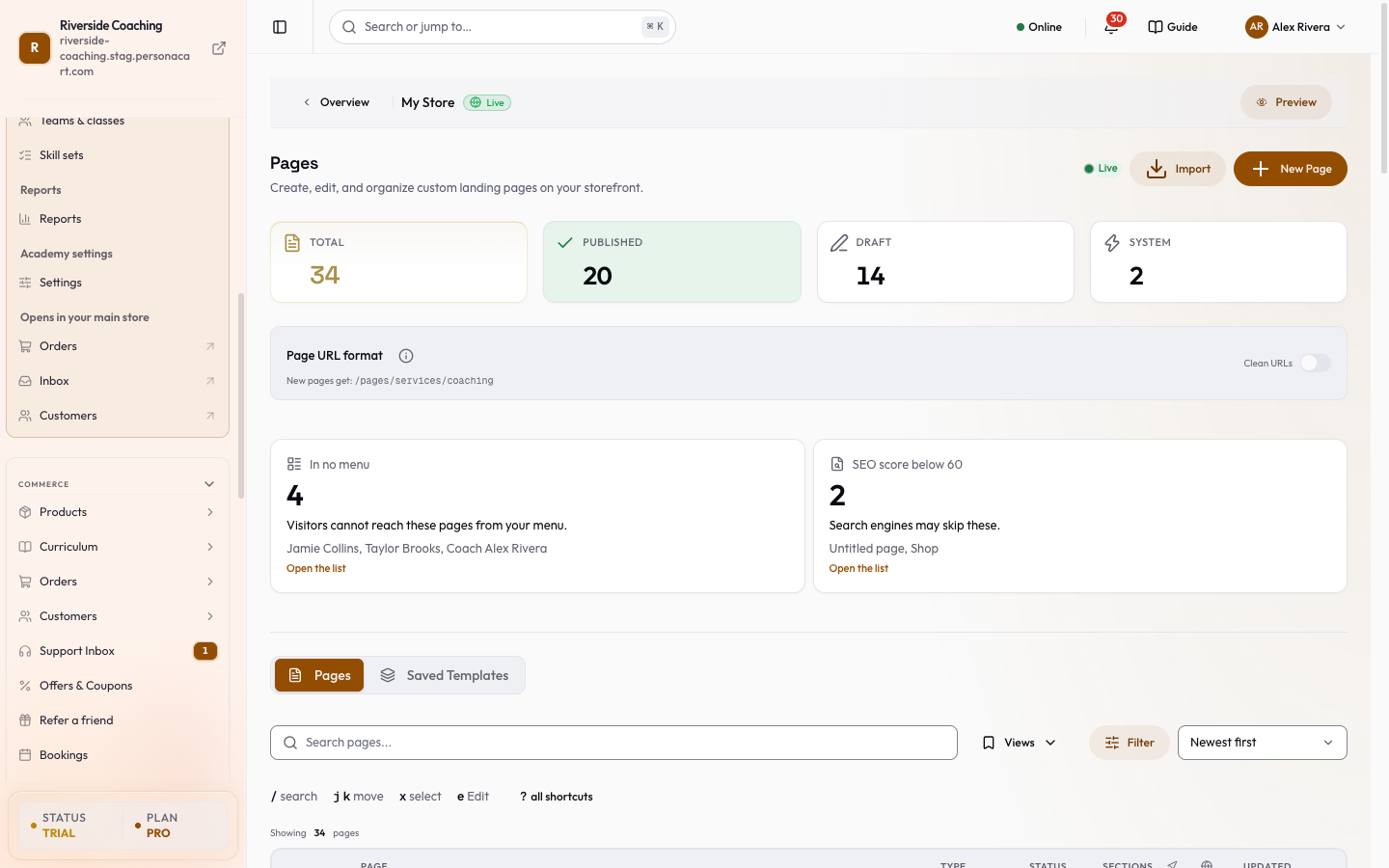
The part your buyers see. Pages hold the content, the theme decides how it all looks, menus get people around, and the blog, media library and tools around them keep it fresh. Every store has one storefront. In this video you will learn how to read the Pages list for your store. You will see what Live and Draft mean, what the cards say needs you, and how to read each page row. Total counts every page in your store, drafts and system pages included. Draft pages are saved but hidden. Visitors cannot see them yet. Page URL format sets clean addresses. Switching re-points every page, and old links redirect. Needs-you cards come first: pages in no menu, low SEO scores, unpublished changes. Shortcuts: slash to search, j and k to move, x to select, e to edit. Each row shows the page, its type, status, sections, menu, SEO health and last update. Under the address: visits in the last thirty days, and the SEO score. Blog pages use the standard layout. Customise changes it. Mistake: a live page in no menu. So: check the counters, fix what needs you, then read each row for status, menu and SEO. Thank you so much for watching PersonaCart. To read the full guide, go to docs dot personacart dot com. To try PersonaCart yourself, go to personacart dot com. And subscribe, so you do not miss the next tutorial.Video transcript
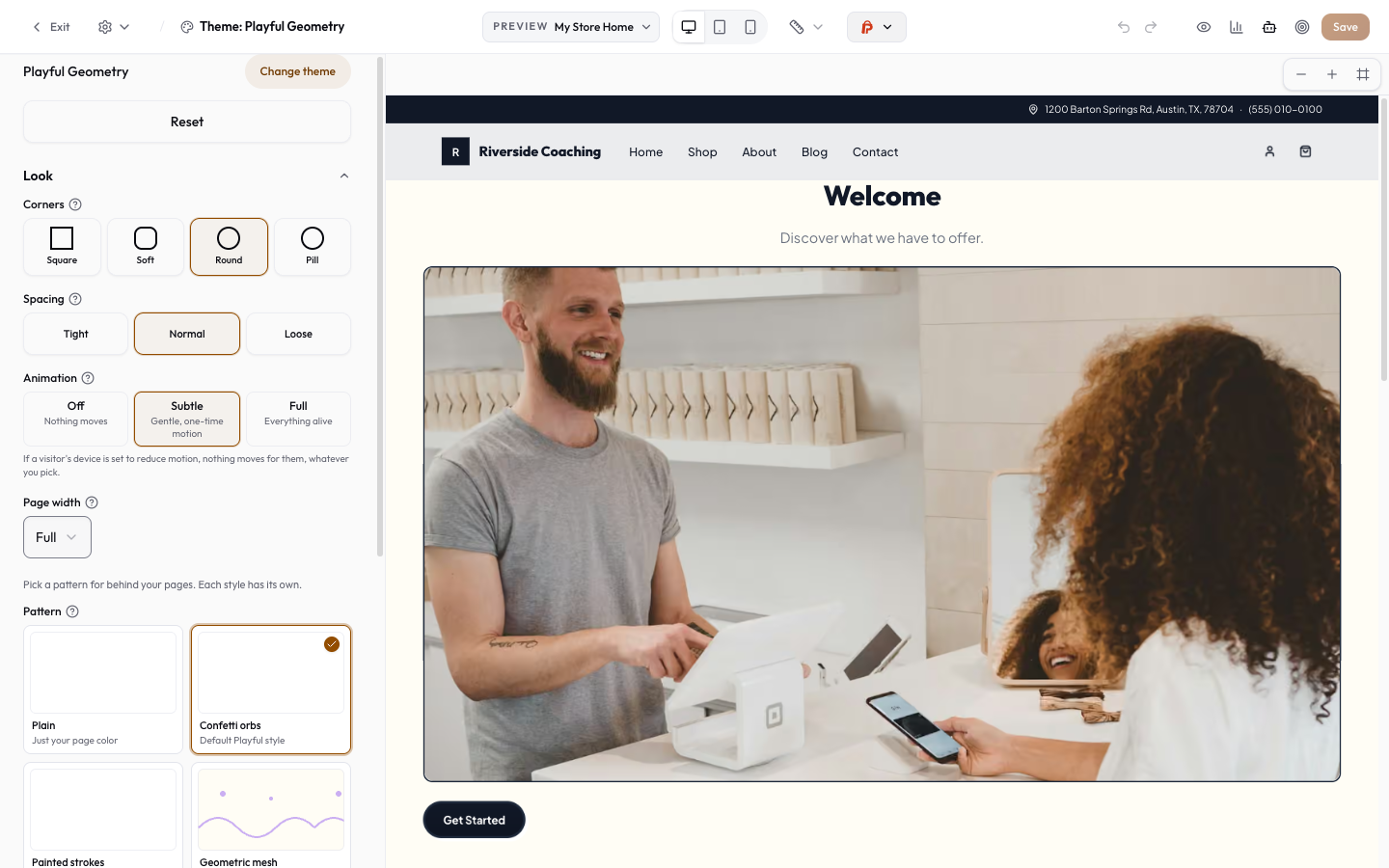
Pages are built in the visual editor — canvas, blocks, and the inspector.
What is Storefront?
The Storefront is the part of PersonaCart your buyers see: your website, with one checkout for everything you sell. You build its pages in the visual editor, and it can live on your own web address.
What you can do
- See your site and share it from Your page
- Create, edit and publish pages, and set up your shop page
- Change the whole look with a theme
- Build the top and bottom menus
- Write a blog to tell parents and fans what is happening
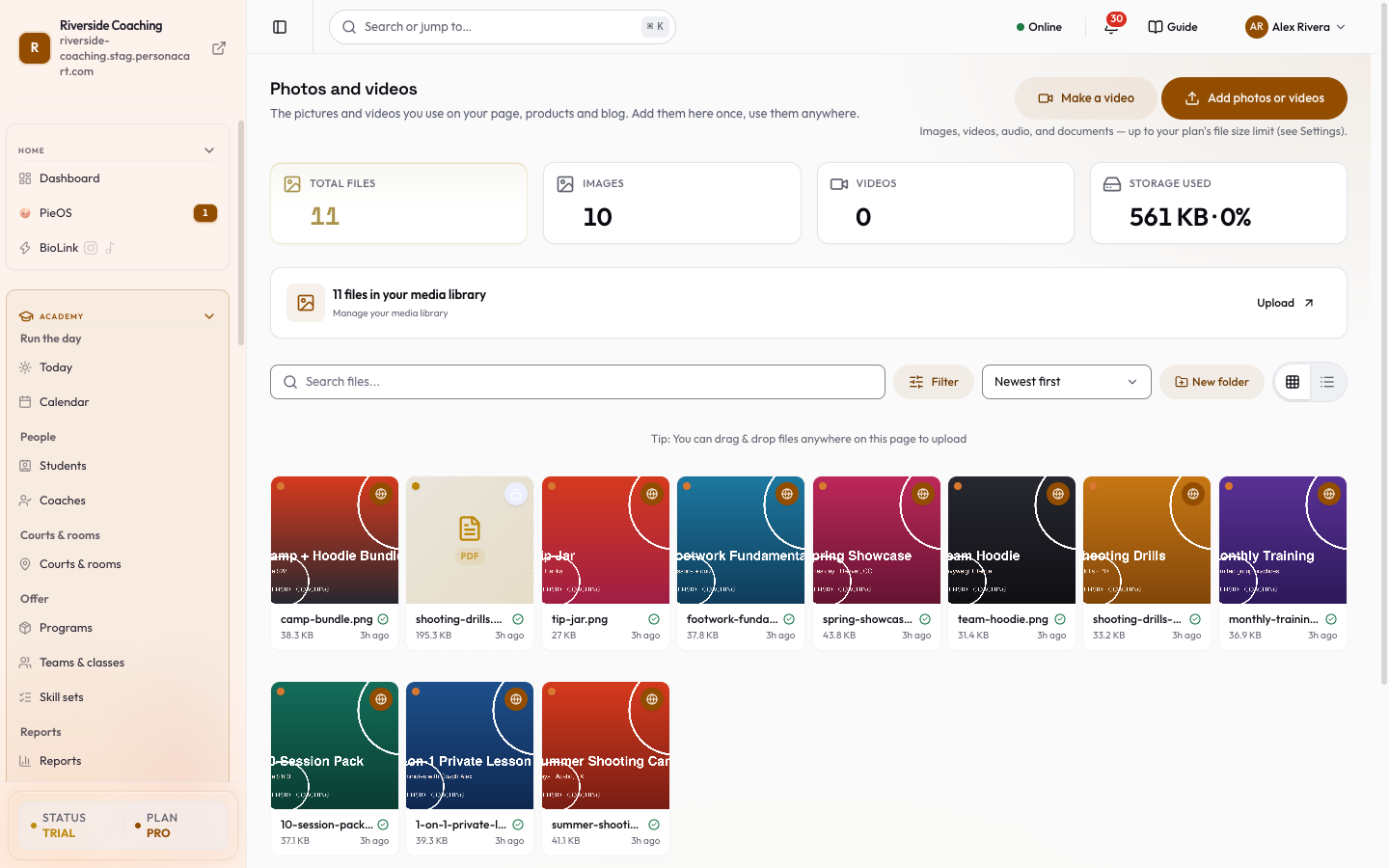
- Keep every photo and video in the media library, and make a short promo video
- Be found on Google with SEO and metadata
- Open, pause or close your store from Publish and store status
- Use your own web address with Domains
Who uses it
- Every PersonaCart store has one storefront.
- Coaches and creators who want a website without a web designer.
See it
Watch it in the introduction film: Your store (0:32).
All Storefront guides
What this screen looks like in every state
| State | When you'll see it | What you see, and what to do |
|---|---|---|
| Loading | The screen is fetching your data | A skeleton in the shape of the finished page. It should be brief — if it persists, the load has failed rather than stalled. |
| Error | The data couldn't be loaded | A message with a retry. Retry first: most of these are a dropped request, not a broken store. If it repeats, the outage is upstream and reloading won't help. |
| No access | Your role doesn't include this screen | A permission notice instead of the page. An owner or admin can grant access under Settings → Team. |
When something goes wrong
These are the messages this screen can show you, and what each one means.
| If you see | What to do |
|---|---|
| Could not apply "…". Please try again. | Retry the action. If it keeps happening, contact support with what you were doing. |
| Could not update homepage. Please try again. | The change didn't save. Retry — if it keeps failing, the request isn't reaching the server. |
| Could not update the menu. Please try again. | The change didn't save. Retry — if it keeps failing, the request isn't reaching the server. |
| Failed to cancel schedule | The change didn't save. Retry — if it keeps failing, the request isn't reaching the server. |
| Failed to create storefront | The change didn't save. Retry — if it keeps failing, the request isn't reaching the server. |
| Failed to delete storefront | The change didn't save. Retry — if it keeps failing, the request isn't reaching the server. |
| Failed to duplicate storefront | That value is already used. Pick a different one. |
| Failed to rename storefront | The change didn't save. Retry — if it keeps failing, the request isn't reaching the server. |
| Failed to schedule storefront | The change didn't save. Retry — if it keeps failing, the request isn't reaching the server. |
| Storefront context missing. Please try again. | A required field is blank. Fill it in and save again. |
What is Online Store and Storefront Guide in PersonaCart Docs?
Your Storefront is your public website on PersonaCart: the pages, theme, menus, blog and media your buyers see.
What topics does Online Store and Storefront Guide cover?
The main pages are: Your page, Pages, Shop page, Theme, Menus, Blog, Media library, Create Video, and 9 more.
Where do I start in Online Store and Storefront Guide?
Start with Your page.
Related
Product page: PersonaCart features