Waivers
In short: Write a liability waiver once and point as many sessions at it as you like. Set how long a signature lasts, and see what happens when you change the wording.
A waiver is a document a buyer reads and signs before a session, such as a gym liability waiver. You write it once here and tick every session that needs it. A person who has already signed it is not asked again until their signature runs out or you change the wording.
Where to find it
- Sidebar → Settings → Waivers. It is one of the tabs at the top: Cart & checkout, Shipping, Buyer accounts, Waivers, Policy pages.
- It needs access to customers with edit rights, so the owner and Admins can change waivers.
- A small link at the top, Part of: Before parents pay you, takes you back to the Privacy and customer data checklist that this page belongs to.
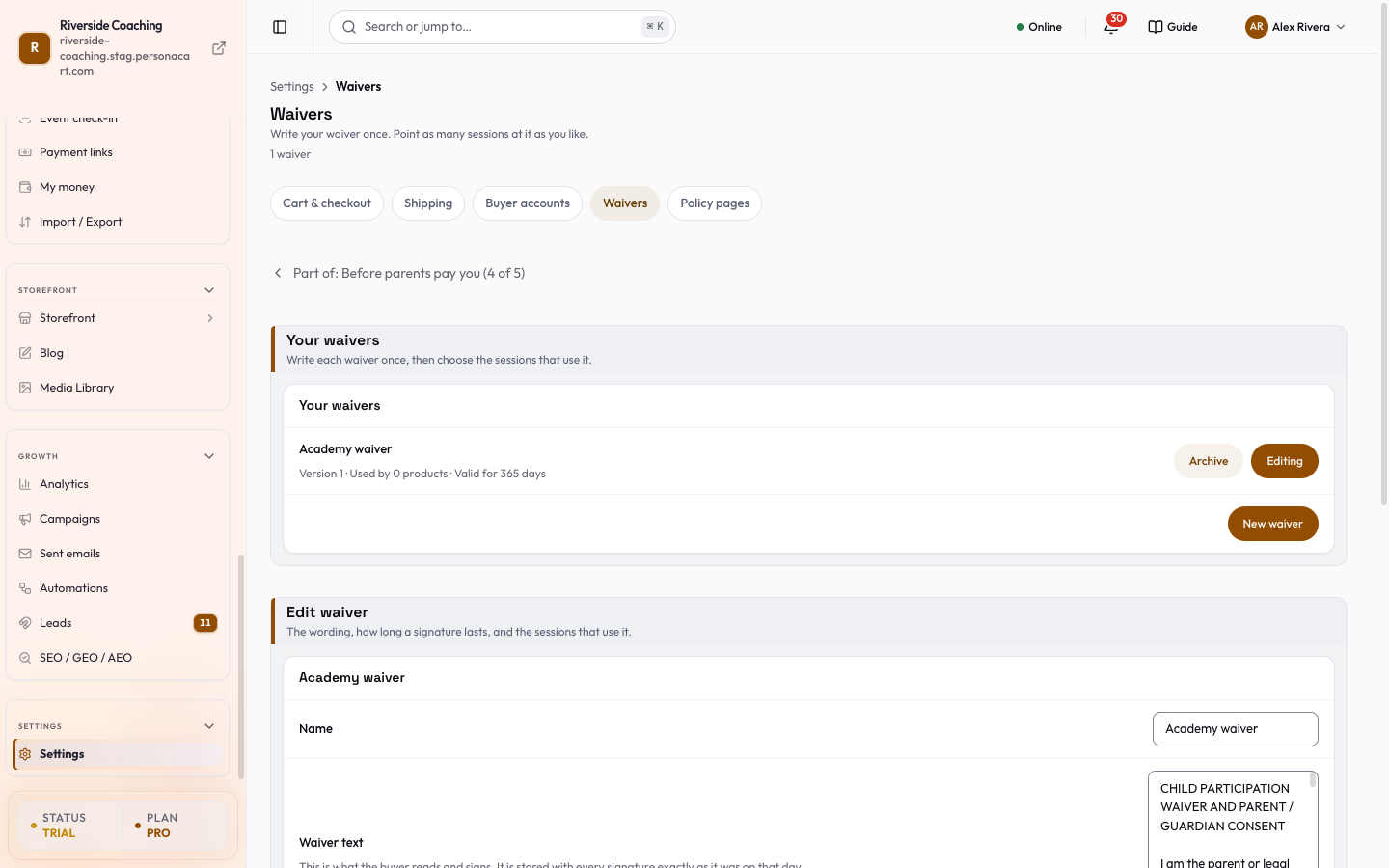
Your waivers
The card Your waivers lists each waiver with a line of facts: Version n, Archived (if it is), Used by n products, and either Valid for n days or Never expires.
For each waiver:
- Edit loads it into the editor below. The row then shows Editing.
- Archive retires a waiver. Restore brings an archived waiver back. Archiving is reversible and keeps every signature already given.
- New waiver (bottom right of the card) opens an empty editor below the list.
- Nothing is stored until you press Save. Discard drops what you typed.
With no waivers yet the page says No waivers yet: "Write your liability waiver once here, then tick the sessions that use it. Anyone who has already signed it will not be asked again."
Write or edit a waiver
The editor is headed New waiver or Edit waiver.
| Field | What it does |
|---|---|
| Name | A short name for you, such as "Gym liability waiver" (up to 200 characters). |
| Waiver text | What the buyer reads and signs. It is stored with every signature exactly as it was that day. Up to 50,000 characters. |
| How long a signature lasts | A drop-down: Never expires (the default), or Valid for 180, 365, 730, 1825 or 3650 days. After that the person is asked to sign again. Old signatures are kept as a record, never deleted. |
| Sessions using this waiver | Search your products and tick every session that needs this waiver. A session can use only one waiver. |
Search products finds products in your whole catalogue as you type. Without a search, the first 100 products are listed and a note says "Showing the first 100 — search to find more". If some ticked products are not in the current list a note tells you how many.
Press Save, or Discard to drop what you changed. You need a name and some text to save: "A waiver needs a name and some text."
Changing the wording
- The moment you change the waiver text, a warning appears before you save: "You changed the waiver text. Everyone who already signed will be asked to sign again on their next booking — their old signature is kept as a record of what they agreed to then." The version number goes up only when the text changes.
- Changing only the name or the sessions does not ask anyone to sign again.
After saving you see Waiver saved, or Waiver saved. Everyone will be asked to sign the new text.
Good to know
Have your own advisor review your waiver before you use it.
- Signatures keep the exact words the person signed, with the date. Archiving or editing never removes them.
- If the list of linked sessions cannot load, the editor says so and offers Retry. Retry before saving changes to that list.
- Leaving with unsaved changes asks whether to save or discard first.
Questions
Will people who signed be asked again?
Only if you change the waiver text, or their signature has run out because of the time you set. Changing the name or the sessions does not ask anyone again.
Can I delete a waiver?
You can archive it and restore it later. Signatures already given are always kept.
Can one session use two waivers?
No. A session can use only one waiver.
How is this different from the Academy child waiver?
The child waiver is part of Academy and is signed for each child by typing the parent's name. This page is for waivers on any other session you sell.
Related
Part of Store Settings Guide · Product page: PersonaCart features