Integrations
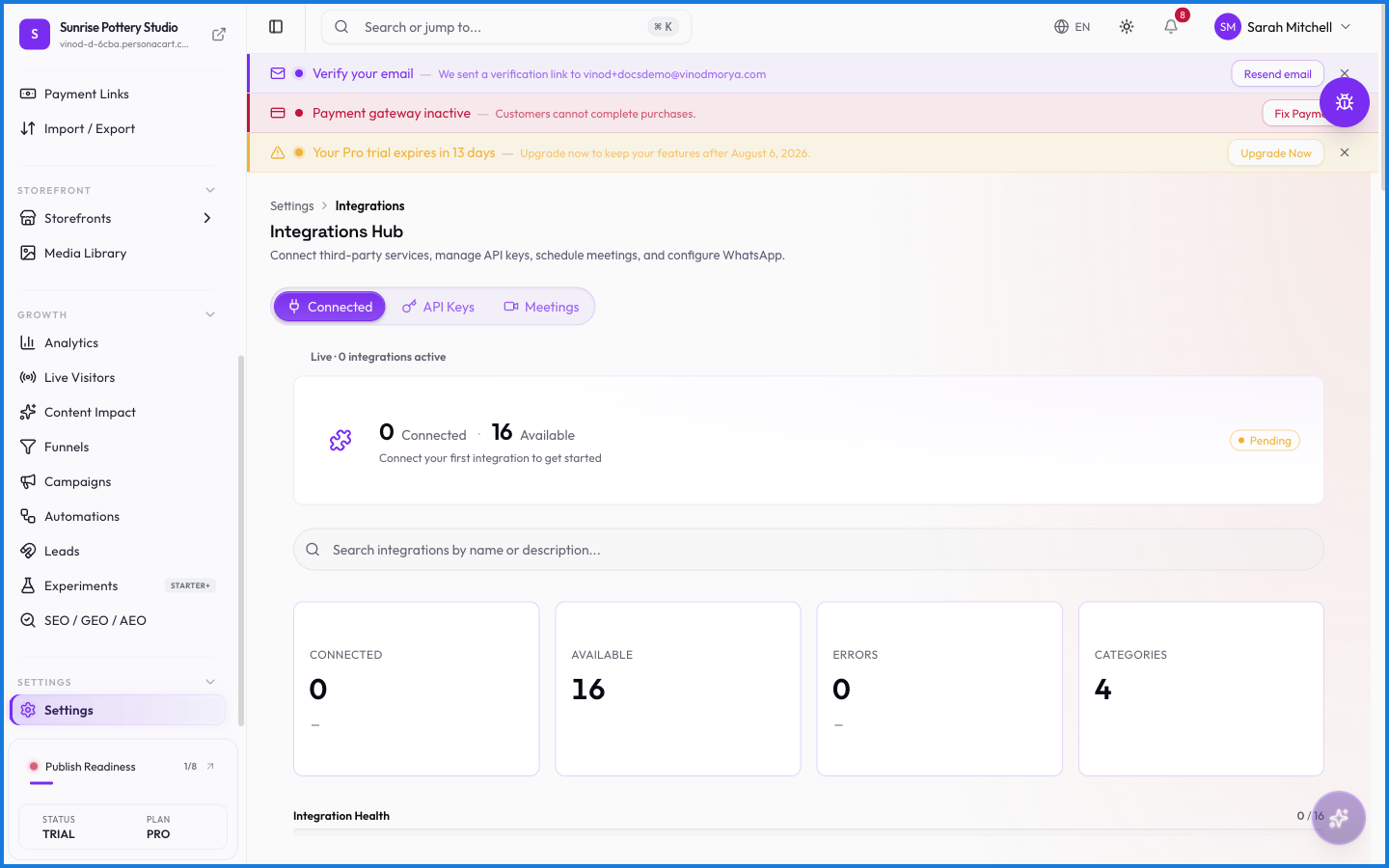
Integrations connect your store to outside services — the tools you already use, plugged into PersonaCart so data flows between them. It's where you link accounts and manage those connections.
Where to find it
Sidebar → SETTINGS → Settings → Integrations.
What happens — and what doesn't
- Connecting a service links your account so the two share data as designed.
- Each integration is managed here — connect, review, or disconnect.
- Some connections may depend on your plan or the service's own requirements.
- Disconnecting stops the data flow; it doesn't delete what already synced.
What can I connect to my store?
The outside services PersonaCart integrates with, managed from the Integrations page. Connect an account there to link it with your store.
What happens if I disconnect an integration?
The data flow stops, but anything already synced stays. You can reconnect later from the same page.
Every field on this screen
Every field for connecting another tool. Read straight from the live app, so it matches what you see.
| Field | Type | What it accepts | What it does |
|---|---|---|---|
| Date range | Dropdown | — | |
| Description * | Checkbox | — | e.g. Optional description for this endpoint |
| Event type | Dropdown | — | |
| Optional description for this endpoint | Text | — | |
| Search integrations by name or description | Text | — | |
| Status | Dropdown | — |
6 fields, read from the live app. Which ones you see depends on the product type and your plan.
What this screen looks like in every state
| State | When you'll see it | What you see, and what to do |
|---|---|---|
| Loading | The screen is fetching your data | A skeleton in the shape of the finished page. It should be brief — if it persists, the load has failed rather than stalled. |
| Error | The data couldn't be loaded | A message with a retry. Retry first: most of these are a dropped request, not a broken store. If it repeats, the outage is upstream and reloading won't help. |
| Not on your plan | Your plan does not include this feature | An upgrade prompt naming the plan that unlocks it. Nothing you have made is lost — it becomes reachable again on the right plan. |
When something goes wrong
These are the messages this screen can show you, and what each one means.
| If you see | What to do |
|---|---|
| Failed to disconnect … | The change didn't save. Retry — if it keeps failing, the request isn't reaching the server. |
| Failed to save … configuration | The change didn't save. Retry — if it keeps failing, the request isn't reaching the server. |
| Failed to start OAuth: … | The change didn't save. Retry — if it keeps failing, the request isn't reaching the server. |
| Please select at least one event type | Do what the message asks, then try again — it names exactly what's missing. |
| Popup blocked by your browser. Please allow popups for this site and try again. | Retry the action. If it keeps happening, contact support with what you were doing. |
| Redirect blocked: untrusted domain. | Retry the action. If it keeps happening, contact support with what you were doing. |