Conversion tools
In short: Where to switch on the exit popup, sale countdown, sticky add-to-cart bar and trust badges. The full guide is Popups and urgency tools.
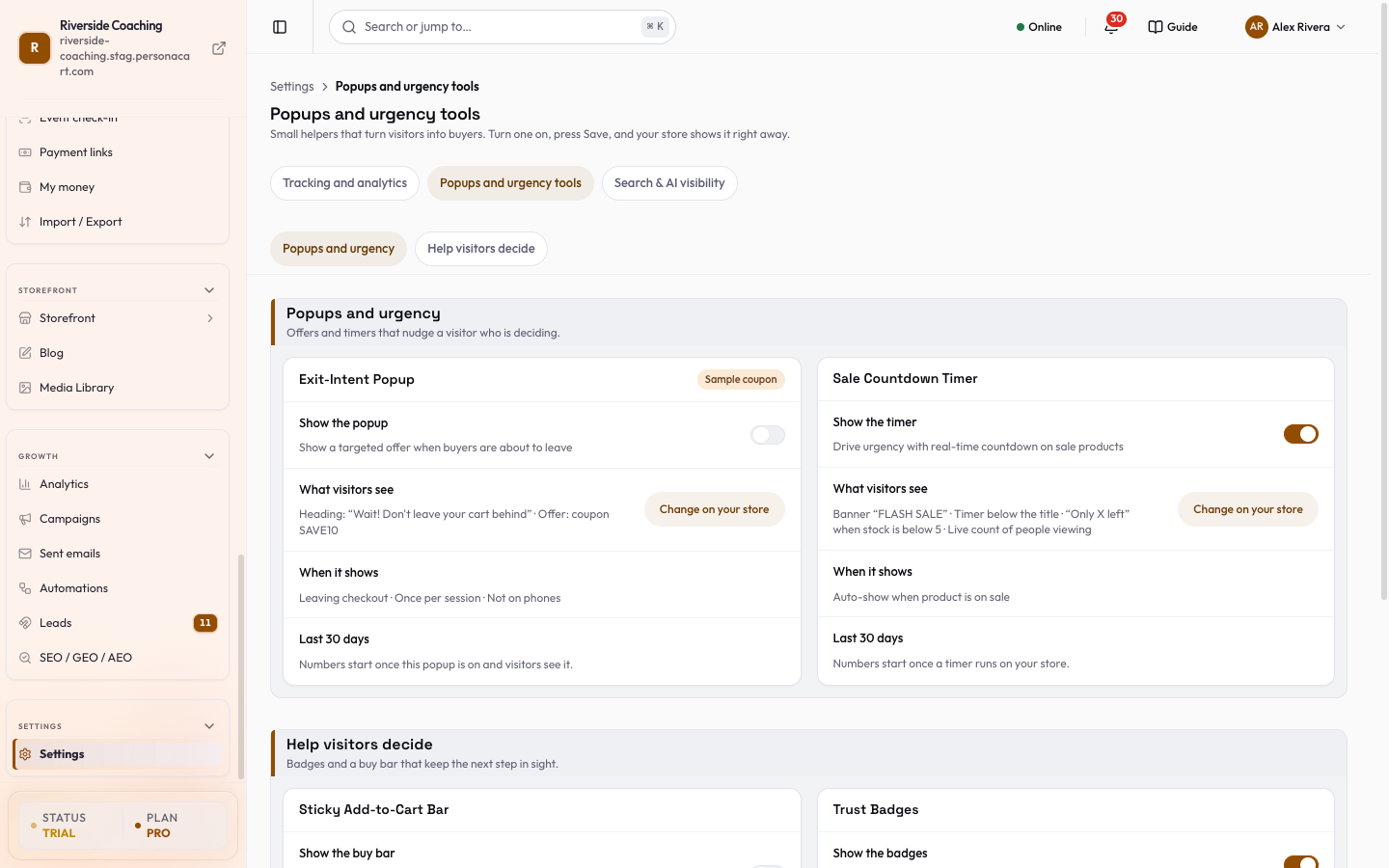
Four small helpers turn visitors into buyers: an exit-intent popup (a box that shows when a visitor is about to leave), a sale countdown timer, a sticky add-to-cart bar and trust badges.
Where to find it
Sidebar → SETTINGS → Popups and urgency tools. It sits in the tabs next to Tracking and analytics and Search & AI visibility.
- Popups and urgency holds the exit popup (Show the popup) and the sale countdown (Show the timer).
- Help visitors decide holds the sticky bar (Show the buy bar) and the trust badges (Show the badges, plus Security Badges).
- Each card also says What visitors see, When it shows and Last 30 days.
- Switches only change a draft. The bar at the bottom shows how many changes you made: press Save to apply them or Discard to undo.
- The buy bar on product pages is switched in Theme: use Open Theme on its card.
The full guide has every setting: Popups and urgency tools.
Questions
Where do I set up the popup and the countdown?
Switch them on from Settings, then follow the full guide, Popups and urgency tools, for every setting.
Does this page have settings of its own?
This page is only the doorway. The switches and numbers are in the Popups and urgency tools guide.
Which four helpers are there?
An exit-intent popup, a sale countdown timer, a sticky add-to-cart bar and trust badges.
Related
Part of Store Settings Guide · Product page: PersonaCart features