Activity log
In short: See who changed what on your account in the last 90 days. Filter, open a change to see before and after, put some changes back, and export to CSV.
The Activity log is the record of changes on your account. Each edit, removal or refund is written down with who did it and when, so you can answer "who changed this?" without asking around. It keeps the last 90 days.
Where to find it
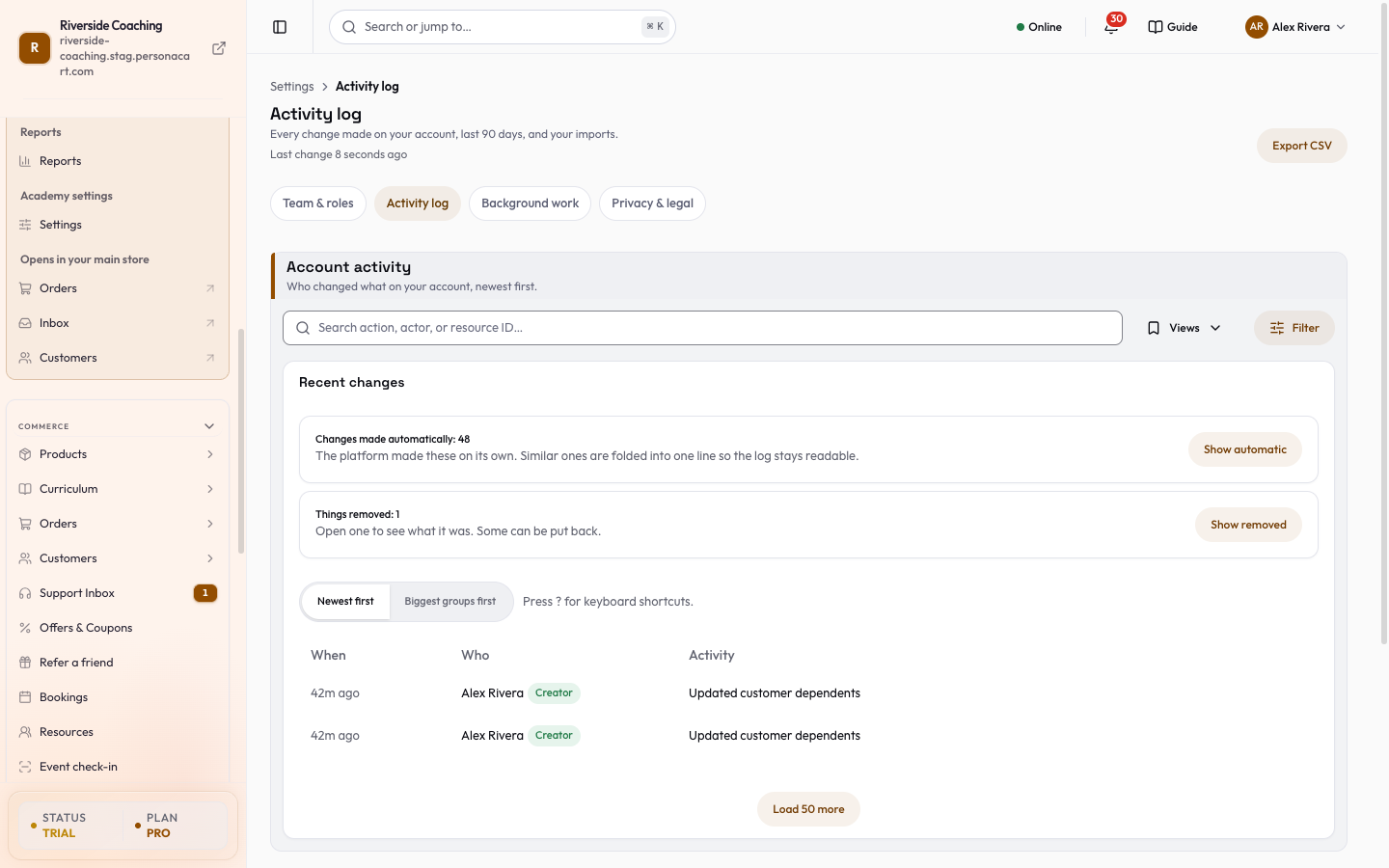
Sidebar → SETTINGS → Activity log. The page is titled Account activity, and the list is called Recent changes.
It is on every plan. Only people who can open Settings (the owner and Admins) see it, because the log can show details about every part of the store.
Read the log
- Each row shows When, Who and the Activity, written like "Updated Business details" with the changed fields named.
- Similar changes by the same person are folded into one row ("Updated 5 products").
- Above the list, choose Newest first or Biggest groups first.
- The page opens on the last 7 days; widen it with When inside Filter.
- Press ? on the page to see the keyboard shortcuts.
Who can be:
- A person on your team (the Creator or an Admin).
- API key, AI app or AI assistant, when a connected AI tool or Pie made the change. See Connect AI.
- System or Worker, for changes the platform makes by itself. Similar automatic changes are folded into one line so the log stays readable.
- Buyer, for changes a customer made on their own record.
- PersonaCart support access, when it applies, appears as its own category.
Find a change
- Search by action, person or item name. Type a word and the list narrows right away.
- Under the search box a row of area chips is always in view: All and one chip for each kind of change, the same list as Action below. Tap one to narrow the list; tap All to clear it.
- Press Filter to open the filter panel. The button shows how many filters are on.
- In the panel, pick who made the change: All, Made by you, Automatic or Removed.
- Also in the panel: Action (such as Store settings, Storefront & pages, Domains, Products & collections, Discounts, Subscriptions & refunds, Emails, Team, API keys & AI access, Integrations, Webhooks) and When (Today, Last 7 days, Last 30 days, Last 90 days).
- Under the list, What needs a look points at automatic changes and things that were removed.
- Saved views. Set a filter, press Save this view, give it a name such as "What changed last week", and open it in one tap.
- Keyboard: press / to jump to search, J and K to move down and up the list, and Enter to open a change.
Open a change
Select a row to open its details: a summary, who and when, the target (with a link to open it if it still exists), the source, the device, and the request it belonged to. Changes shows each field Before and After. Press Esc to close it.
Related events lists other changes made in the same request.
Put a change back
Some changes show Restore it. Press it and the item goes back to how it was. The restore is itself listed as a new change, so nothing is hidden.
Only the owner or an Admin can restore. If the item was changed again after that edit, it cannot be put back safely, so open the item and fix it there. Not every kind of change can be restored from here. The row says so when it cannot.
Export a copy
Export CSV downloads the log with the same filters you have on screen, so the file matches the list.
What is not here
Sign-ins, password changes and device sign-outs for your own login are on Security. Long-running jobs such as imports have their own list: this page links to it under Background work (see Background work).
Questions
How far back does the log go?
90 days. Use Export CSV to keep a copy of anything you need for longer.
Can my Editor or Support person see it?
No. It needs access to Settings, which means the owner and Admins.
Can I undo a change from the log?
Some changes show Restore it. It works only if the item has not been changed again since, and only the owner or an Admin can use it.
Does it show what an AI tool did?
Yes. Changes made through a connected AI app, an API key or Pie are listed with that as the actor.
Related
Part of Store Settings Guide · Product page: PersonaCart features