Chat with Pie
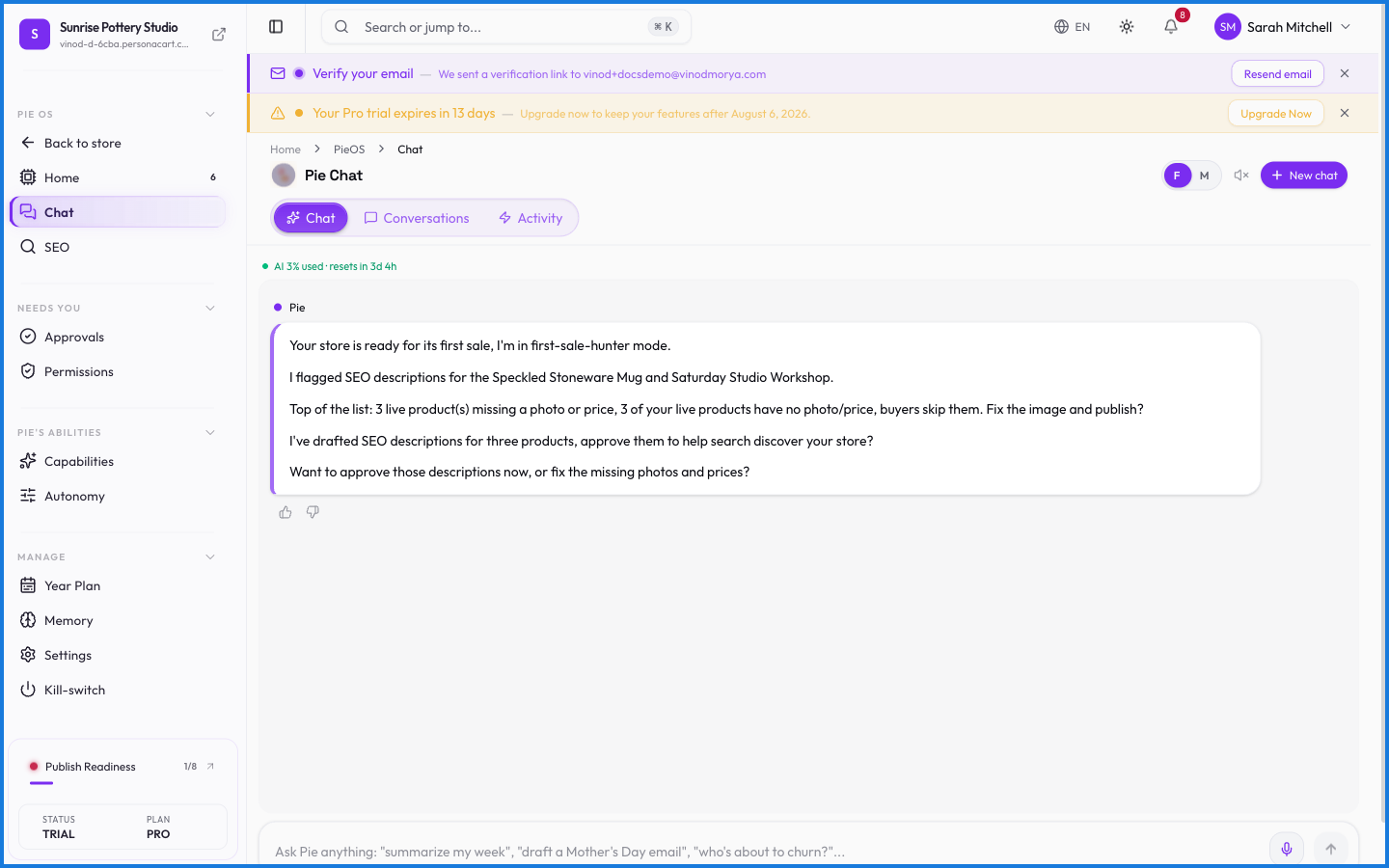
Chat is the front door to PieOS. Type a request in plain English — "summarize this week's sales," "write a description for my new mug," "which products are low on stock?" — and Pie answers, or does the task, right there in the conversation.
Where to find it
Sidebar → HOME → PieOS → Chat.
What you can ask
- Questions about your data — sales, orders, customers, inventory. Pie reads your store and answers.
- Content tasks — product descriptions, page copy, email drafts.
- Actions — create a product, build a page. These it proposes for your approval rather than doing silently.
What happens — and what doesn't
- Pie answers from your store's real data — it's grounded in your orders, products, and customers, not generic guesses.
- It only ever sees your store. Ask about another creator and it can't and won't — the data isn't reachable.
- A request that changes something (make a product, edit a page) becomes a proposal you approve, not an instant change.
- Chat needs a plan that includes the AI workspace; on plans without it, you'll see an upgrade prompt.
What kind of questions can I ask Pie?
Anything about your store in plain English — 'summarize today's sales', 'what's my best seller', 'write a product description'. Pie answers from your real store data or does the task.
Will Pie do things without confirming?
Answering questions and drafting content happen in the chat. Actions that change your store — creating a product, editing a page — are proposed for your approval first.
What this screen looks like in every state
| State | When you'll see it | What you see, and what to do |
|---|---|---|
| Loading | The screen is fetching your data | A skeleton in the shape of the finished page. It should be brief — if it persists, the load has failed rather than stalled. |