Capabilities
Capabilities are the specific things PieOS knows how to do — over 200 of them, from generating a course to summarizing your sales. This page is where you see what's available and switch capabilities on or off.
Where to find it
Sidebar → HOME → PieOS → Capabilities.
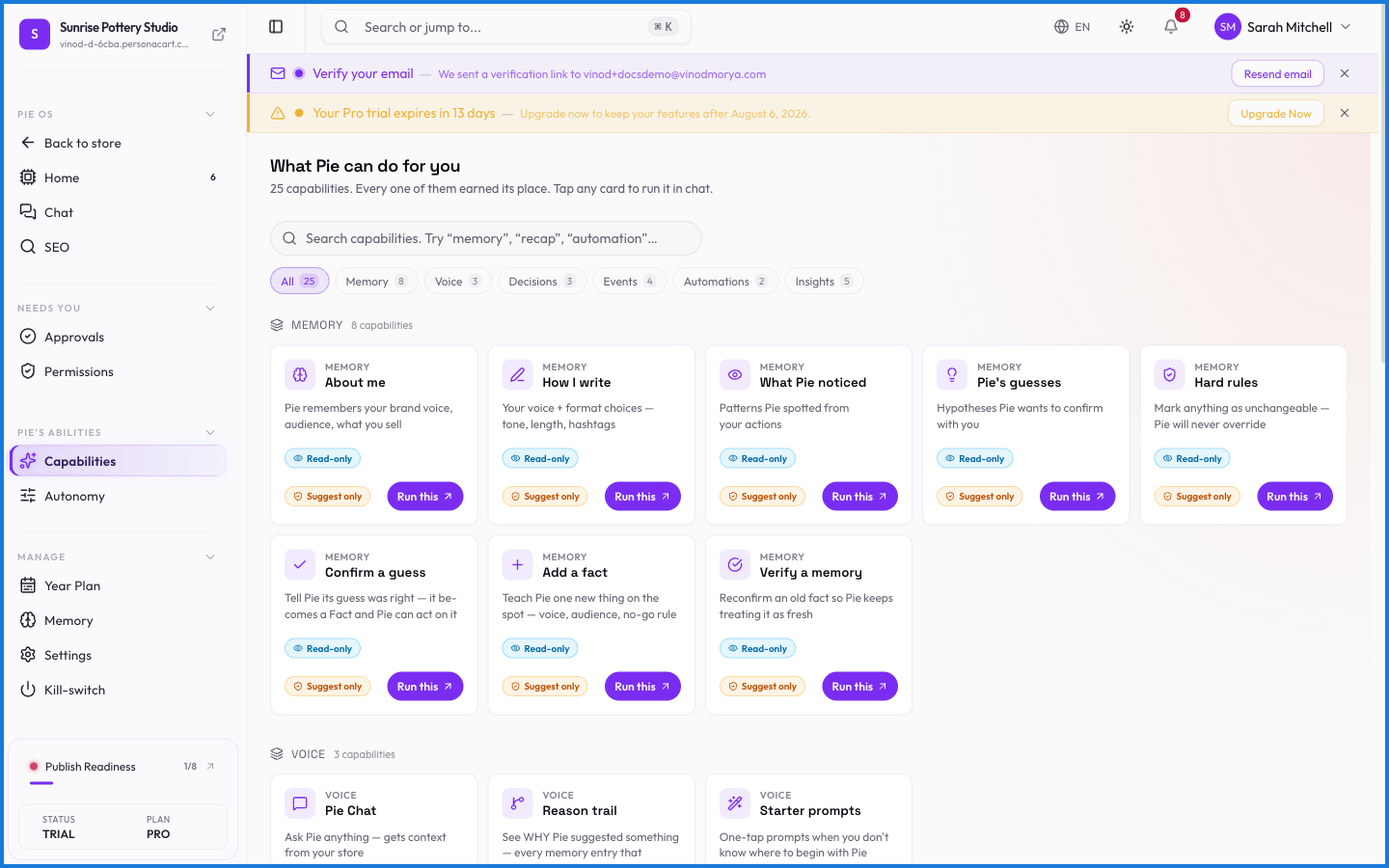
The full catalog
The complete list is in the capability catalog, grouped by area:
- Commerce & customers
- Content & storefront
- Marketing & analytics
- Settings & configuration
- Support & operations
Each capability lists the plan it needs and whether it reads, writes, or generates.
What happens — and what doesn't
- A capability being available doesn't mean it acts freely — permissions and approvals still apply.
- Some capabilities need a higher plan; those carry a plan badge in the catalog.
- Turning a capability off removes it from what PieOS will attempt.
How many things can PieOS do?
Over 200 capabilities across commerce, content, marketing, analytics, settings, and support. The full list is in the capability catalog, each tagged with the plan it needs.
Does a capability being available mean PieOS uses it freely?
No. Availability is separate from permission and approval. A capability still runs only where you've granted access and, for consequential actions, only after you approve.
What this screen looks like in every state
| State | When you'll see it | What you see, and what to do |
|---|---|---|
| Loading | The screen is fetching your data | A skeleton in the shape of the finished page. It should be brief — if it persists, the load has failed rather than stalled. |
Every field on this screen
Every control here, read straight from the live app.
| Field | Type | What it accepts | What it does |
|---|---|---|---|
| Answer | Long text | — | e.g. Provide a clear, helpful answer the AI can use when customers ask this question. |
| Brand Voice | Long text | — | e.g. Professional yet approachable. Friendly and helpful. |
| Business Description | Long text | — | e.g. Describe your business, what you sell, and your mission. |
| cheap, spam, guaranteed | Text | — | |
| Enabled | On/off | — | |
| Example Greeting | Long text | — | e.g. Professional yet approachable. Friendly and helpful. |
| For example, What is your refund policy? | Text | — | |
| Key Differentiators | Long text | — | e.g. Describe your business, what you sell, and your mission. |
| Message Hint | Number | — | |
| Minimum Cart Value ($) | Number |
| |
| Priority | Number |
| |
| Products to Suggest | Long text | — | |
| Question | Long text | — | e.g. For example, What is your refund policy? |
| Rule Name | Dropdown | — | |
| Target Audience | Long text | — | e.g. Describe your business, what you sell, and your mission. |
| Trigger Categories | Dropdown | — | |
| Trigger Context | Dropdown | — | |
| Trigger Type | Dropdown | — | |
| Welcome to our store! How can I help you today? | Text | — | |
| What makes your store unique? | Text | — | |
| Who are your ideal customers? | Text | — | |
| Words to Avoid | Long text | — | e.g. Professional yet approachable. Friendly and helpful. |
22 fields, read from the live app. Which ones you see depends on the product type and your plan.