Approvals
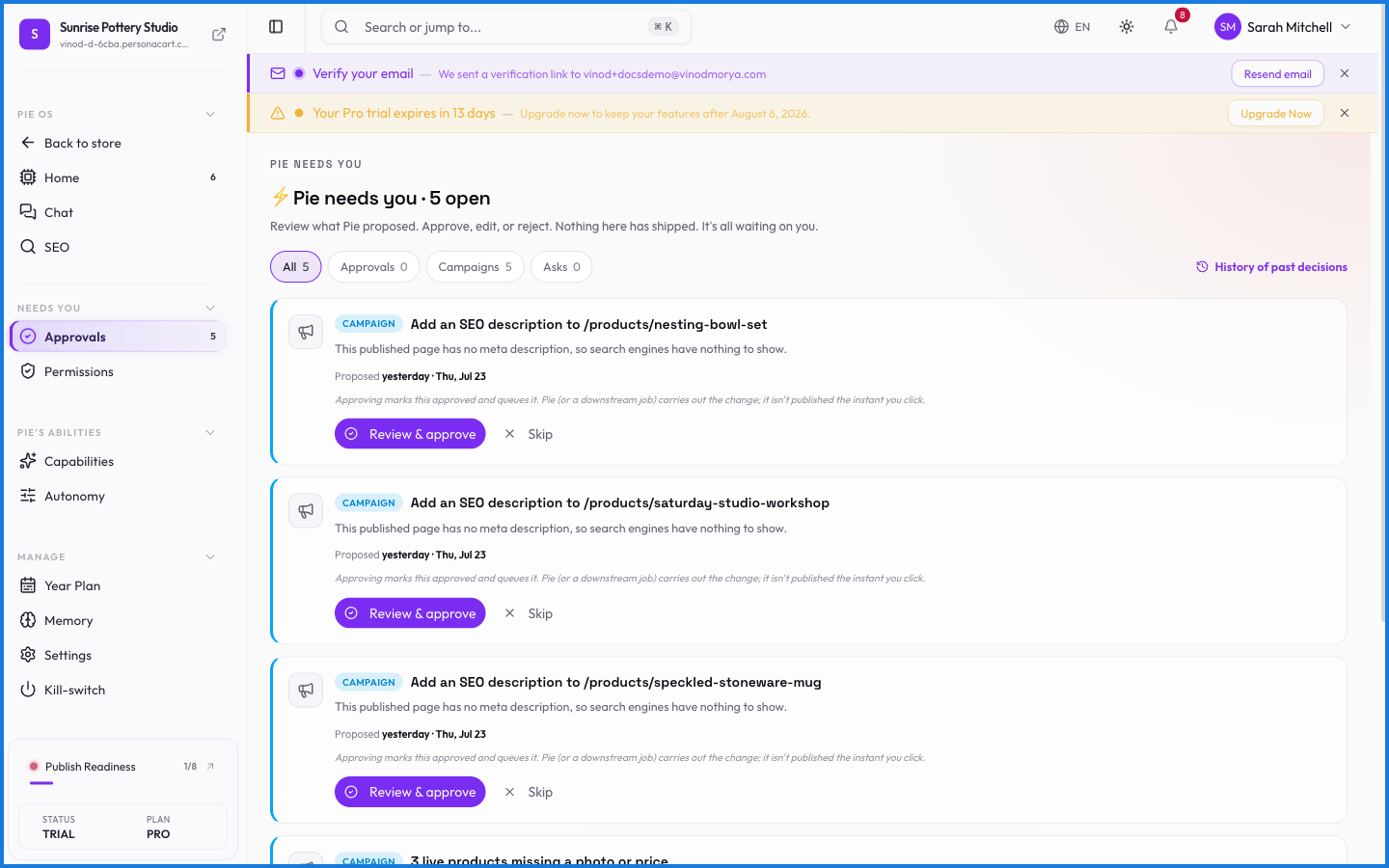
Approvals is the checkpoint. When PieOS wants to change something in your store — publish a page, create a product, send a campaign — it doesn't just do it. It stages the change and drops it here for your yes or no.
Where to find it
Sidebar → HOME → PieOS → Approvals.
How it works
Each item shows what PieOS wants to do and why. You approve to let it happen, or reject to discard it. Nothing in the queue has taken effect yet — approving is what makes it real.
What happens — and what doesn't
- A proposed action is staged, not applied. "Pie created a product" isn't true until you approve it here.
- Rejecting discards the proposal cleanly — no half-change left behind.
- The autonomy setting decides how much reaches this queue versus what Pie can do on its own for routine, low-risk tasks.
- This human-in-the-loop step is why you can let a capable AI work without losing control.
Does PieOS change my store before I approve?
No. Consequential actions are staged in Approvals. They only take effect when you approve them — until then, nothing has actually changed.
What happens when I reject a proposal?
It's discarded cleanly. Nothing is applied, and there's no partial change left over.
Can I let Pie skip approvals for small things?
Yes, via the Autonomy setting. You decide how independently it works — routine low-risk tasks can run without a stop, while consequential ones still wait for you.
What this screen looks like in every state
| State | When you'll see it | What you see, and what to do |
|---|---|---|
| Loading | The screen is fetching your data | A skeleton in the shape of the finished page. It should be brief — if it persists, the load has failed rather than stalled. |