Live Visitors
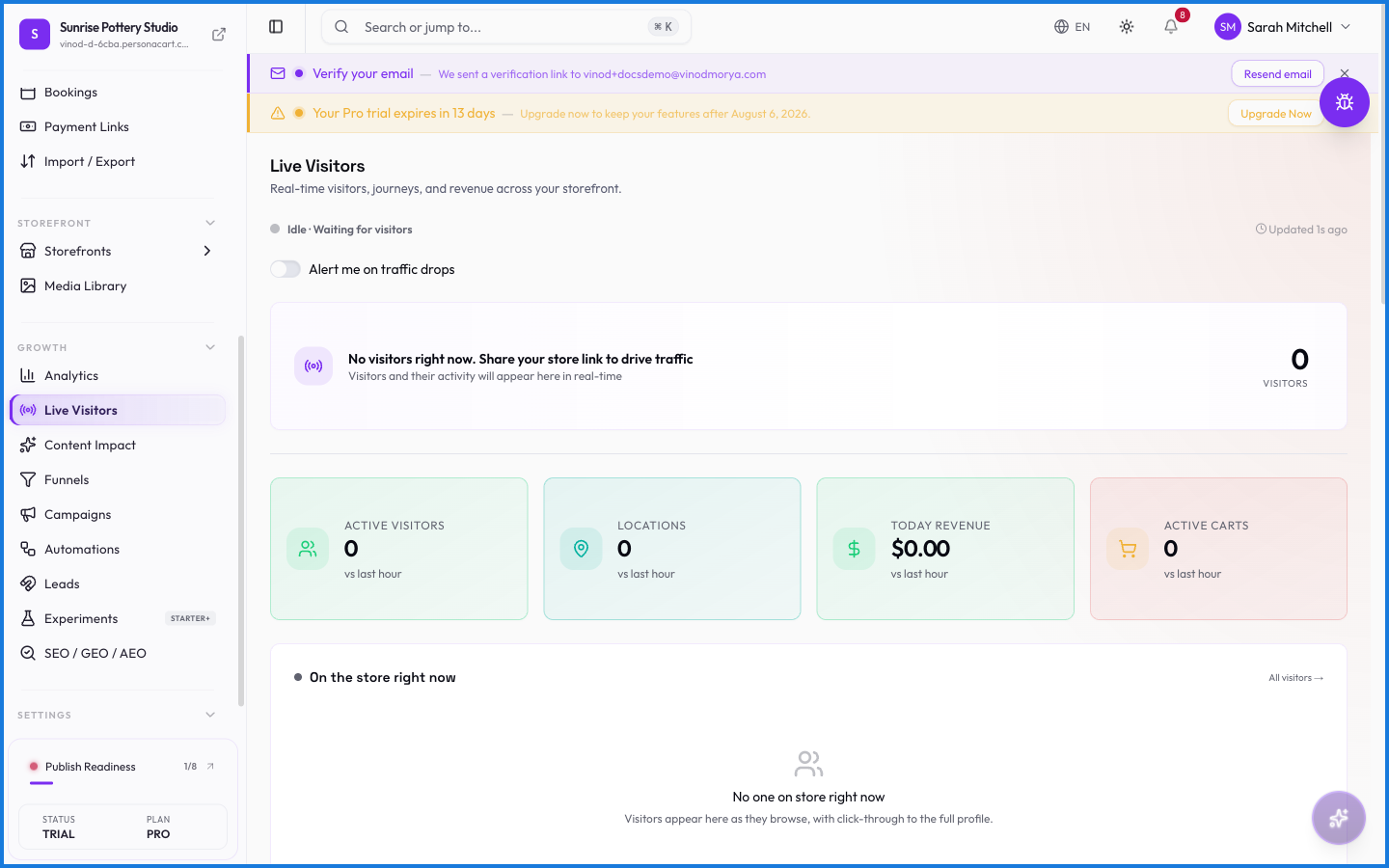
Live Visitors shows who's on your store this second — how many people, what pages they're viewing, and where they arrived from. It's the real-time counterpart to Analytics, useful during a launch or a promotion.
Where to find it
Sidebar → GROWTH → Live Visitors.
What happens — and what doesn't
- The count updates in real time as people arrive and leave.
- It shows current activity, not history — for trends over time, use Analytics.
- Traffic sources here tell you which channel is sending people during a live moment.
How is Live Visitors different from Analytics?
Live Visitors shows current activity in real time — who's on the store this second. Analytics covers trends over a period.
What's Live Visitors good for?
Watching a launch or promotion as it happens — seeing traffic spike and which channel is driving it, live.
Every field on this screen
Every control here, read straight from the live app.
| Field | Type | What it accepts | What it does |
|---|---|---|---|
| Alert me on traffic drops | On/off | — |
1 field, read from the live app. Which ones you see depends on the product type and your plan.
What this screen looks like in every state
| State | When you'll see it | What you see, and what to do |
|---|---|---|
| Loading | The screen is fetching your data | A skeleton in the shape of the finished page. It should be brief — if it persists, the load has failed rather than stalled. |
| Error | The data couldn't be loaded | A message with a retry. Retry first: most of these are a dropped request, not a broken store. If it repeats, the outage is upstream and reloading won't help. |