Leads
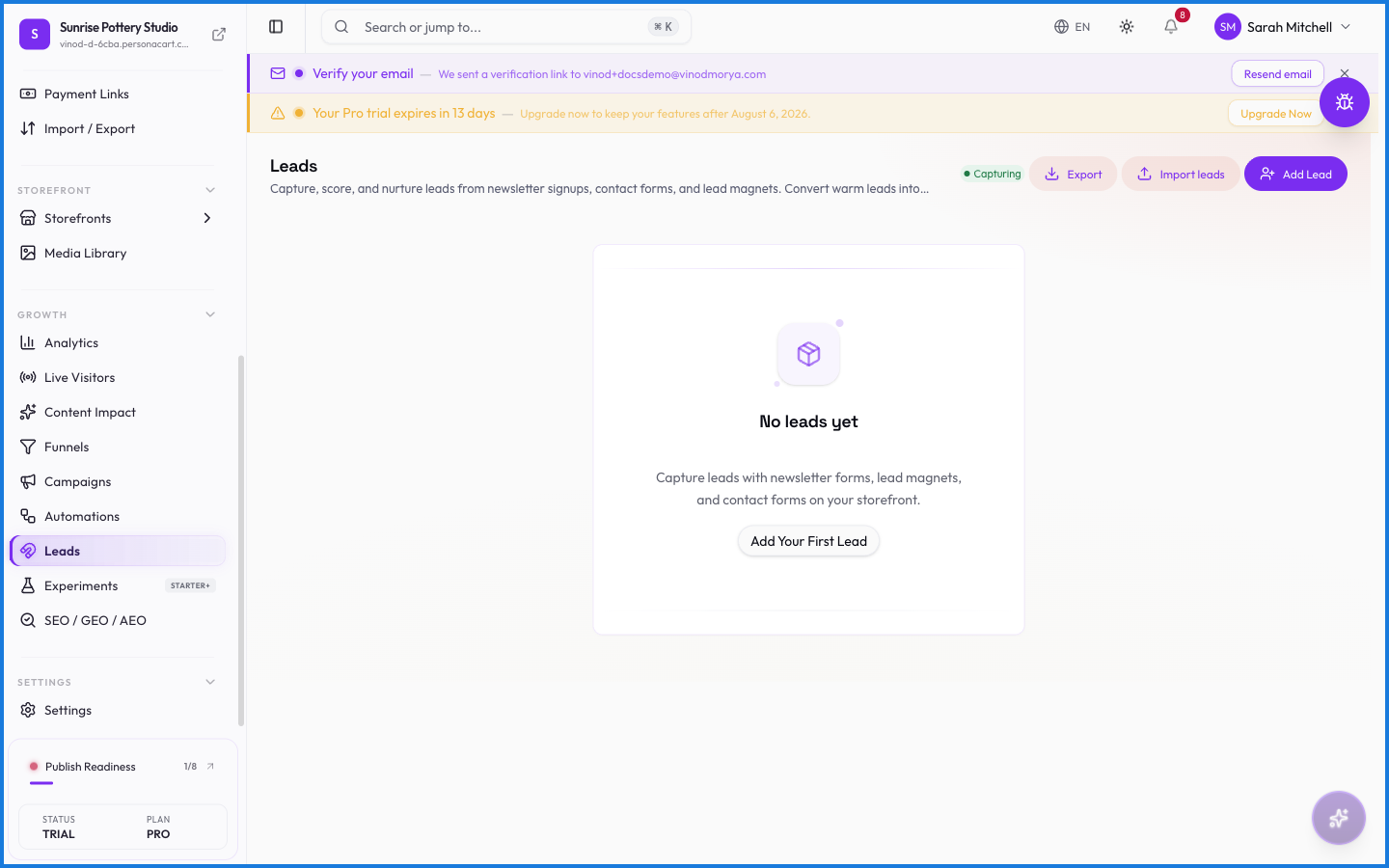
Leads are the people who raised a hand but haven't bought yet — someone who filled in a contact form, joined your newsletter, or asked about a product. This page collects them so you can follow up and turn interest into sales.
Where to find it
Sidebar → GROWTH → Leads. The same leads also appear as the Leads tab inside COMMERCE → Customers.
What happens — and what doesn't
- Leads come from your form blocks and newsletter signups — capture them on any storefront page.
- A lead who buys becomes a customer; until then they live here.
- Follow up with a campaign or fold leads into a segment.
Where do leads come from?
From forms and newsletter signups on your storefront. Anyone who submits their details without buying becomes a lead.
What happens when a lead makes a purchase?
They become a customer, tracked in your customer list with their order history. Until they buy, they stay in Leads.
Every field on this screen
Every field for capturing and managing leads. Read straight from the live app, so it matches what you see.
| Field | Type | What it accepts | What it does |
|---|---|---|---|
| Comma-separated | Text | — | |
| Company | Text | — | e.g. Company name |
| Company name | Text | — | |
| Text |
| e.g. [email protected] | |
| Full name | Text | — | |
| Name | Text | — | e.g. Full name |
| Notes | Text | — | e.g. Optional notes |
| Optional notes | Text | — | |
| Phone | Text |
| e.g. e.g. +1 555 123 4567 |
| Source | Text | — | e.g. e.g. referral, webinar |
| Tags | Text | — | e.g. Comma-separated |
11 fields, read from the live app. Which ones you see depends on the product type and your plan.
What this screen looks like in every state
| State | When you'll see it | What you see, and what to do |
|---|---|---|
| Loading | The screen is fetching your data | A skeleton in the shape of the finished page. It should be brief — if it persists, the load has failed rather than stalled. |
| Error | The data couldn't be loaded | A message with a retry. Retry first: most of these are a dropped request, not a broken store. If it repeats, the outage is upstream and reloading won't help. |
| No access | Your role doesn't include this screen | A permission notice instead of the page. An owner or admin can grant access under Settings → Team. |
When something goes wrong
These are the messages this screen can show you, and what each one means.
| If you see | What to do |
|---|---|
| Choose a CSV, XLSX or XLS file | Do what the message asks, then try again — it names exactly what's missing. |
| Couldn't load the rest of your leads. | Retry the action. If it keeps happening, contact support with what you were doing. |
| File must be under 5 MB | The file was rejected. Check its size and type against what the field accepts. |
| Name and email are required. | A required field is blank. Fill it in and save again. |
| Please enter a valid email address. | Do what the message asks, then try again — it names exactly what's missing. |
| Unexpected response format from server. Expected CSV but received: … | The value isn't in the expected format. Check it against the field's rules above. |