Funnels
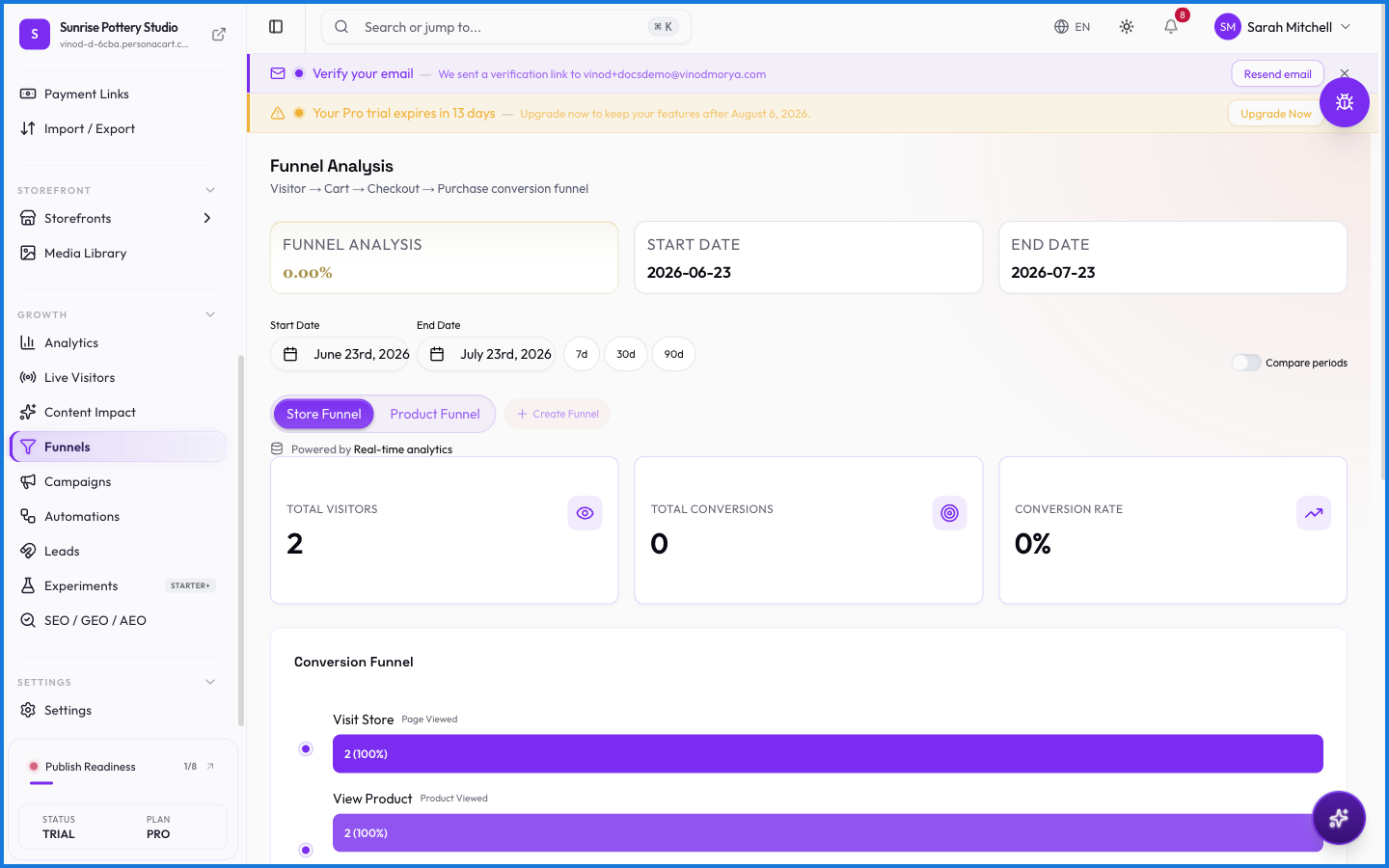
A funnel maps the path from visitor to buyer — landing, browsing, adding to cart, checking out, paying — and shows where people fall away. Seeing the drop-off point tells you what to fix.
Where to find it
Sidebar → GROWTH → Funnels.
What happens — and what doesn't
- The funnel shows conversion between steps, so a big drop at one stage points to the problem.
- A steep fall at checkout, for instance, suggests a friction point worth smoothing — see Cart & checkout.
- It reflects real buyer behavior over the period, not projections.
What does a funnel tell me?
Where visitors drop off on the way to buying. A big fall at a particular stage — say, checkout — shows you exactly where to focus improvements.
How do I fix a drop-off at checkout?
Look at your cart and checkout settings for friction — required fields, payment options, unexpected costs. Small changes there often lift conversion.
Every field on this screen
Every control here, read straight from the live app.
| Field | Type | What it accepts | What it does |
|---|---|---|---|
| Compare periods | On/off | — | |
| End Date | On/off | — | |
| Select a product to view its funnel | Dropdown | — | |
| Start Date | Date | — |
4 fields, read from the live app. Which ones you see depends on the product type and your plan.
What this screen looks like in every state
| State | When you'll see it | What you see, and what to do |
|---|---|---|
| Loading | The screen is fetching your data | A skeleton in the shape of the finished page. It should be brief — if it persists, the load has failed rather than stalled. |
| Error | The data couldn't be loaded | A message with a retry. Retry first: most of these are a dropped request, not a broken store. If it repeats, the outage is upstream and reloading won't help. |
| No access | Your role doesn't include this screen | A permission notice instead of the page. An owner or admin can grant access under Settings → Team. |