Experiments
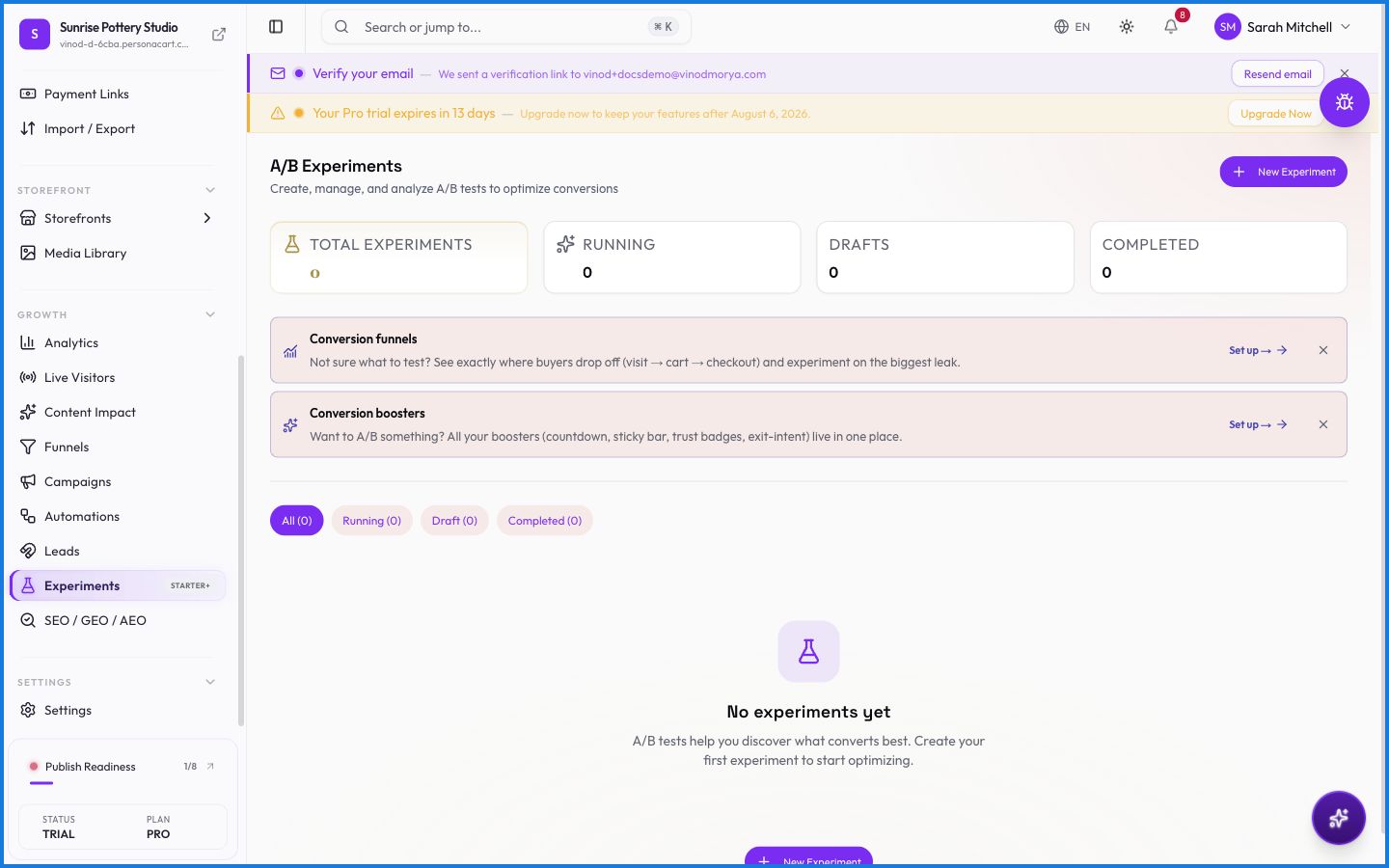
Experiments let you A/B test — run two versions of a page or offer at once, split your visitors between them, and see which converts better. Instead of guessing, you let real behavior decide.
Pro Experiments are on a paid plan.
Where to find it
Sidebar → GROWTH → Experiments.
What happens — and what doesn't
- Visitors are split between variations, so each version gets a fair share of traffic.
- The result is decided by actual conversions, not opinion.
- Experiments pair with Funnels and Analytics to show the impact of a change.
What can I test with Experiments?
Variations of a page or offer. Visitors are split between versions, and the one that converts better wins — decided by real data, not a guess.
Do I need a paid plan for Experiments?
Yes. A/B testing is on a paid plan. On plans without it, the page shows what upgrading unlocks.
Every field on this screen
Every control here, read straight from the live app.
| Field | Type | What it accepts | What it does |
|---|---|---|---|
| Traffic | Slider | — |
1 field, read from the live app. Which ones you see depends on the product type and your plan.
What this screen looks like in every state
| State | When you'll see it | What you see, and what to do |
|---|---|---|
| Empty | You haven't created anything here yet | “No experiments yet” — with a shortcut to create the first one. Nothing is wrong; there's just nothing to show yet. |
| Loading | The screen is fetching your data | A skeleton in the shape of the finished page. It should be brief — if it persists, the load has failed rather than stalled. |
| Error | The data couldn't be loaded | A message with a retry. Retry first: most of these are a dropped request, not a broken store. If it repeats, the outage is upstream and reloading won't help. |
| No access | Your role doesn't include this screen | A permission notice instead of the page. An owner or admin can grant access under Settings → Team. |
When something goes wrong
These are the messages this screen can show you, and what each one means.
| If you see | What to do |
|---|---|
| All variants need a name | Retry the action. If it keeps happening, contact support with what you were doing. |
| Enter an experiment name | Do what the message asks, then try again — it names exactly what's missing. |
| Traffic split must total 100% | Retry the action. If it keeps happening, contact support with what you were doing. |