Campaigns
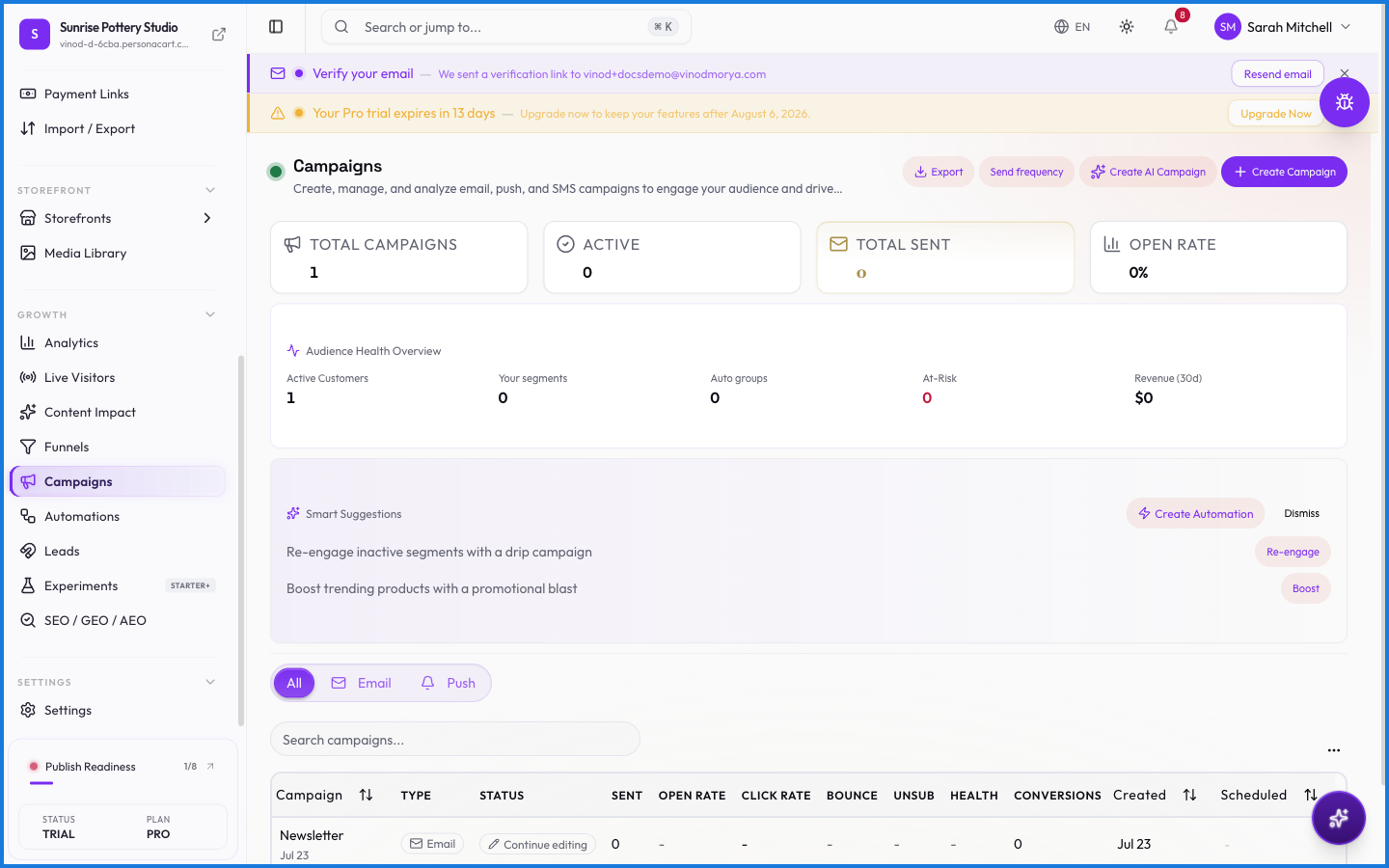
Campaigns are how you reach out — email announcements, promotions, launch blasts — sent to the right group of customers. Pair them with segments to target the people most likely to respond.
Where to find it
Sidebar → GROWTH → Campaigns.
What happens — and what doesn't
- A campaign sends to a segment — a live, rule-based group — so you reach a current audience, not a stale list.
- Campaigns tie into your customer data, so who receives one follows the segment's rules.
- For automatic, triggered messages (like a welcome email or cart recovery), use Automations instead — campaigns are the ones you send deliberately.
Who receives a campaign?
The segment you target. Because segments are rule-based and dynamic, a campaign reaches everyone who currently qualifies, not a fixed export.
What's the difference between a campaign and an automation?
A campaign is a message you send deliberately (an announcement, a promo). An automation fires on its own when something happens — like a welcome email after signup.
Every field on this screen
Every field for building and sending a campaign. Read straight from the live app, so it matches what you see.
| Field | Type | What it accepts | What it does |
|---|---|---|---|
| A/B test | On/off | — | |
| Body text | Long text | — | e.g. Brief notification message... |
| Brief notification message | Text | — | |
| Campaign Name | Text | — | |
| Campaign name | Text | — | e.g. e.g. Spring Sale Announcement |
| Churn probability | Slider |
| |
| Click URL | On/off |
| e.g. https://yourstore.com/new-arrivals |
| Days | Number | — | |
| Estimated customer value | Slider |
| |
| From email | Text |
| e.g. [email protected] |
| From name | Text | — | e.g. Your Store Name |
| Health score | Slider |
| |
| Intelligence filters | Slider |
| |
| Lifecycle stage | Dropdown | — | |
| Max emails | Number | — | |
| Notification title | Long text | — | e.g. e.g. New arrivals just dropped! |
| Paste email addresses | Long text | — | |
| Preview text | Text | — | e.g. Text shown in the email preview (optional) |
| Purchase intent | Dropdown | — | Choices: Any intentHigh intent onlyMedium+ intentLow intent (nurture) |
| Reply-to (optional) | Dropdown |
| Choices: PersonaCart (managed) — no setup needede.g. [email protected] |
| Schedule date & time | Checkbox | — | |
| Select segment | Dropdown | — | |
| Select tags | Checkbox | — | |
| Send from | Dropdown | — | Choices: PersonaCart (managed) — no setup needed |
| Subject line | Dropdown | — | Choices: FriendlyUrgentProfessionalPlayfule.g. e.g. Don't miss our Spring Sale! |
| Target audience | Choice | — | |
| Traffic weight: % | Slider |
| |
| Variant name | Slider | — | |
| Who to include | Choice | — | |
| Your Store Name | Text | — |
30 fields, read from the live app. Which ones you see depends on the product type and your plan.
What this screen looks like in every state
| State | When you'll see it | What you see, and what to do |
|---|---|---|
| Empty | You haven't created anything here yet | “Create your first campaign” — with a shortcut to create the first one. Nothing is wrong; there's just nothing to show yet. |
| Loading | The screen is fetching your data | A skeleton in the shape of the finished page. It should be brief — if it persists, the load has failed rather than stalled. |
| Error | The data couldn't be loaded | A message with a retry. Retry first: most of these are a dropped request, not a broken store. If it repeats, the outage is upstream and reloading won't help. |
| No access | Your role doesn't include this screen | A permission notice instead of the page. An owner or admin can grant access under Settings → Team. |
When something goes wrong
These are the messages this screen can show you, and what each one means.
| If you see | What to do |
|---|---|
| We hit an unexpected error loading this page. | Retry the action. If it keeps happening, contact support with what you were doing. |