Automations
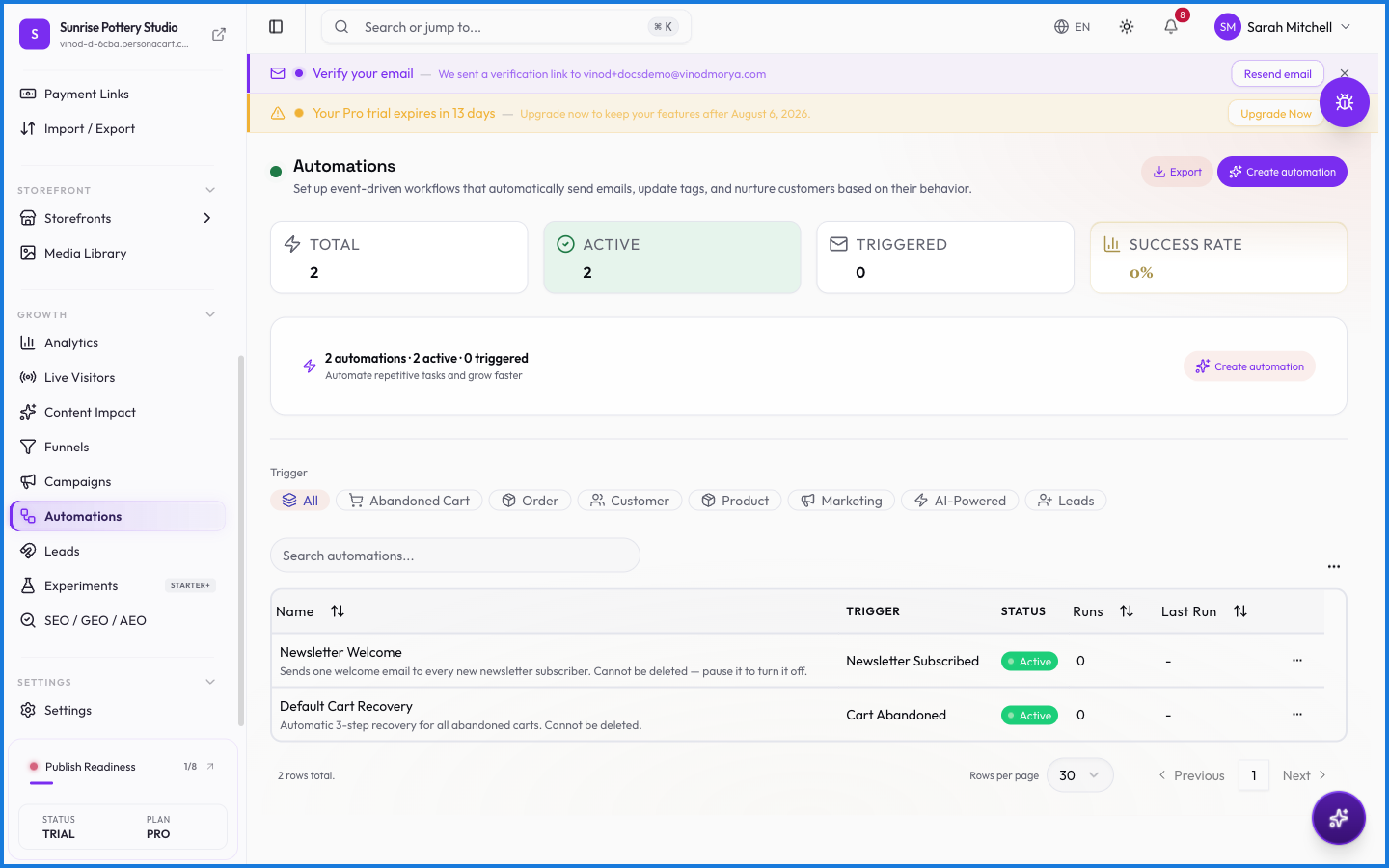
Automations are messages that send themselves. A welcome email when someone signs up, a nudge when a cart is abandoned, a follow-up after a purchase — you set them up once, and they fire on their own whenever the trigger happens.
Where to find it
Sidebar → GROWTH → Automations.
What happens — and what doesn't
- Automations run on triggers — a signup, an abandoned cart, an order — not on a send button.
- The cart recovery emails are automations; so is a welcome series for new customers.
- Unlike campaigns, you don't send these each time — they keep running until you turn them off.
How is an automation different from a campaign?
An automation fires automatically when something happens — a signup, an abandoned cart. A campaign is a one-off message you send deliberately.
Can I automate cart recovery emails?
Yes. Cart recovery is an automation — set the timing and content once, and it emails buyers who leave items behind, on its own.
Every field on this screen
Every field for an automation — its trigger, its conditions, and what it does. Read straight from the live app, so it matches what you see.
| Field | Type | What it accepts | What it does |
|---|---|---|---|
| Action | Dropdown | — | Choices: Add TagRemove Tag |
| Body | Long text | — | |
| Body (HTML) * | Long text | — | |
| Campaign | Dropdown | — | |
| Click URL | Dropdown |
| |
| Custom data | Text | — | |
| Description | Long text | — | |
| Direction | Dropdown | — | Choices: Drops BelowRises Above |
| Discount Type * | Number | — | |
| Duration | Number | — | |
| Entry filters | Dropdown | — | Choices: All (AND)Any (OR) |
| Experiment | Text | — | e.g. Experiment ID |
| Experiment ID | Text | — | |
| Field * | Dropdown | — | |
| Label | Dropdown | — | Choices: PercentageFixed Amount |
| Method | Dropdown | — | Choices: POSTPUTGET |
| Operator * | Dropdown | — | Choices: has any ofhas all ofhas none ofEqualsNot EqualsGreater ThanLess ThanContains |
| Preview | On/off | — | |
| Provider | Dropdown | — | |
| Quiet hours (Do Not Disturb) | On/off | — | |
| Re-entry rules | Number | — | |
| Sample values | On/off | — | |
| Score Threshold | Number | — | e.g. 50 |
| Segment ID or name | Text | — | |
| Signing secret | Text | — | |
| Subject * | Long text | — | |
| Tag Name | Text | — | |
| Target Segment | Text | — | e.g. Segment ID or name |
| Template | Dropdown | — | Choices: Store default design |
| Title | Long text | — | |
| Trigger Event | Dropdown | — | |
| Unit | Dropdown | — | Choices: MinutesHoursDays |
| URL | Dropdown | — | Choices: POSTPUTGET |
| Value * | Number |
| |
| What should this automation do? | Long text | — |
35 fields, read from the live app. Which ones you see depends on the product type and your plan.
What this screen looks like in every state
| State | When you'll see it | What you see, and what to do |
|---|---|---|
| Empty | You haven't created anything here yet | “No automations yet” — with a shortcut to create the first one. Nothing is wrong; there's just nothing to show yet. |
| Loading | The screen is fetching your data | A skeleton in the shape of the finished page. It should be brief — if it persists, the load has failed rather than stalled. |
| Error | The data couldn't be loaded | A message with a retry. Retry first: most of these are a dropped request, not a broken store. If it repeats, the outage is upstream and reloading won't help. |
| No access | Your role doesn't include this screen | A permission notice instead of the page. An owner or admin can grant access under Settings → Team. |