Analytics
Analytics is your store's command center: how much you're making, how many orders come in, where visitors come from, and which products sell best. Everything compares the current period against the previous one, so you see whether things are trending up or down at a glance.
Where to find it
Sidebar → GROWTH → Analytics.
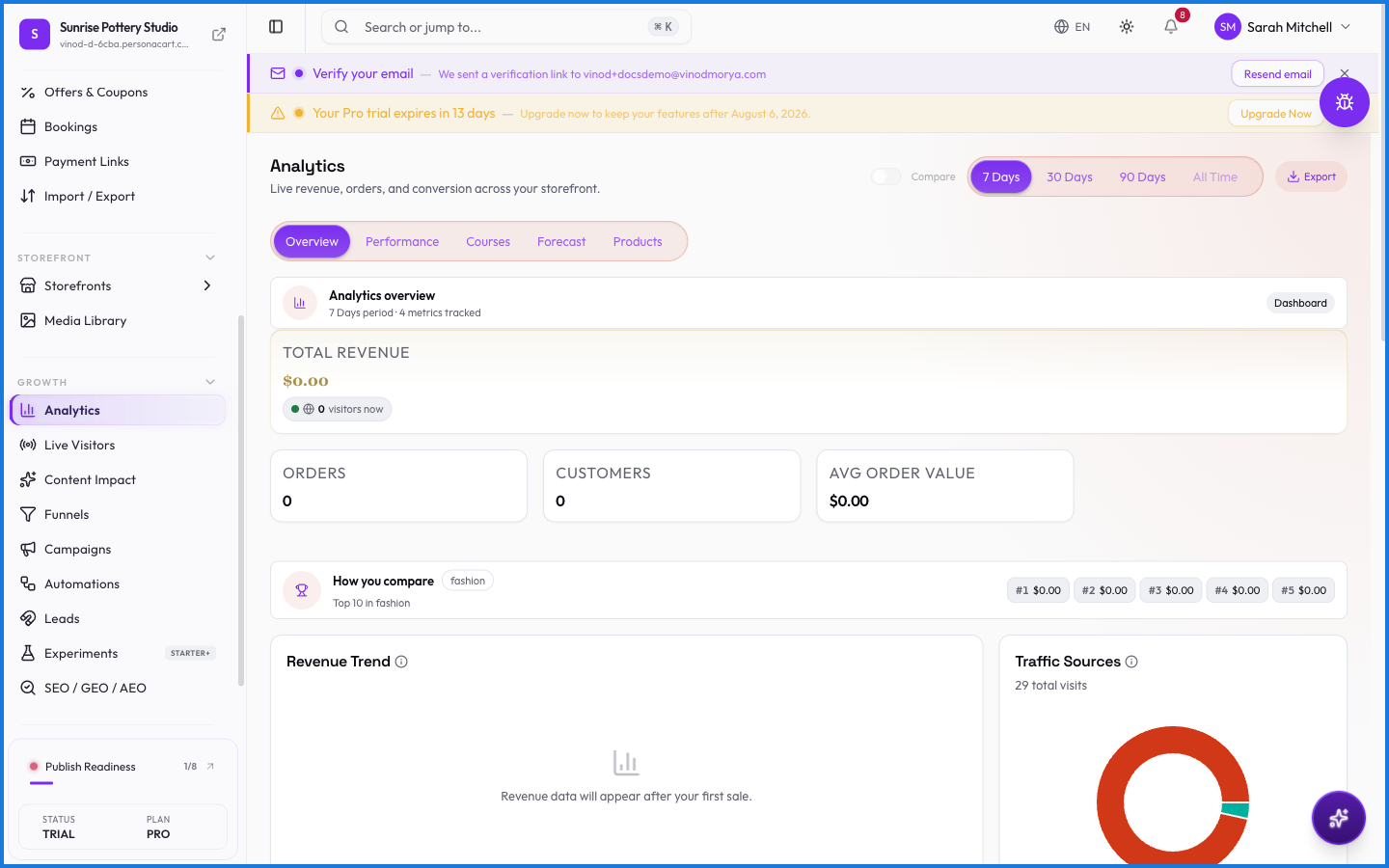
What you get
Headline numbers for revenue and orders, where your visitors come from, and your top products — each shown against the previous 30 days so a rise or dip is obvious. It's the fastest read on the health of the business.
What happens — and what doesn't
- Figures reflect captured payments, not test-mode orders.
- Comparisons are period-over-period, so a number alone is context — up or down against last period is the signal.
- Deeper views live in the sibling pages: Live Visitors, Content Impact, Funnels, and Experiments.
- All money is shown in your store currency.
What time period does Analytics compare against?
The current period is compared to the previous one (the prior 30 days), so every number shows whether it's trending up or down.
Do test orders show up in Analytics?
No. Analytics reflects captured, real payments — test-mode orders don't count toward revenue.
Every field on this screen
Every control on the analytics screens. Read straight from the live app, so it matches what you see.
| Field | Type | What it accepts | What it does |
|---|---|---|---|
| Alert me on traffic drops | On/off | — | |
| Compare periods | On/off | — | |
| End Date | On/off | — | |
| Select a product to view its funnel | Dropdown | — | |
| Start Date | Date | — | |
| Traffic | Slider | — |
6 fields, read from the live app. Which ones you see depends on the product type and your plan.
What this screen looks like in every state
| State | When you'll see it | What you see, and what to do |
|---|---|---|
| Loading | The screen is fetching your data | A skeleton in the shape of the finished page. It should be brief — if it persists, the load has failed rather than stalled. |
| Error | The data couldn't be loaded | A message with a retry. Retry first: most of these are a dropped request, not a broken store. If it repeats, the outage is upstream and reloading won't help. |
| No access | Your role doesn't include this screen | A permission notice instead of the page. An owner or admin can grant access under Settings → Team. |