Subscriptions
Anything a customer pays for on a repeating schedule — a membership, a subscription box, a monthly class pass — lives here as a subscription. This tab tracks who's subscribed, what they pay, and when they renew.
Where to find it
Sidebar → COMMERCE → Orders, then the Subscriptions tab.
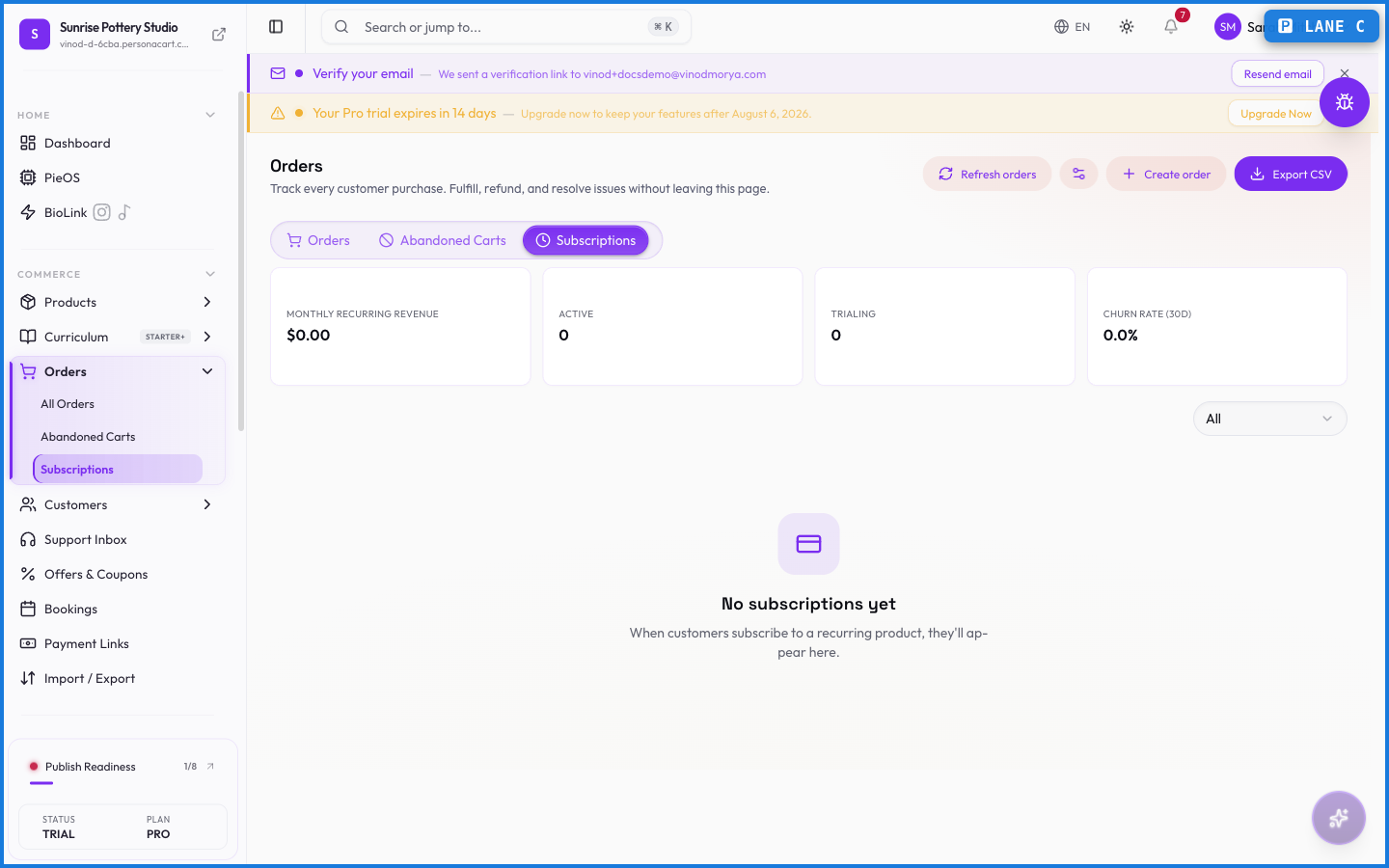
The numbers up top
- Monthly recurring revenue — what your active subscriptions bring in per month.
- Active, Trialing, Past due — how many subscriptions sit in each state right now.
- Churn rate (30d) — the share you lost over the last 30 days.
MRR alone can look healthy while churn quietly eats it. Read the two together.
The table
Each row is one subscription: the customer, the product, the plan, its status, and when it renews.
Status is one of Active, Trialing, Paused, Cancelled, Expired, or Past due. A subscription cancelled mid-period shows cancels at period end — the buyer keeps access until that date.
Pausing and resuming
Use Pause when a customer wants a break: billing stops, the subscription survives, and Resume picks it back up. Cancelling is the one that ends it — reach for pause first.
How renewals work
Renewals run through your connected payment gateway on the cycle the buyer signed up for. A successful charge extends the subscription and generates a new order; a failed charge moves it toward past-due, and the gateway's retry rules take over.
What happens — and what doesn't
- Subscriptions renew automatically — you don't invoice each cycle by hand. The gateway charges the saved payment method.
- A cancelled subscription stays active until the end of the paid period, then stops. The customer keeps access until then.
- Each renewal creates a fresh order, so recurring revenue shows up in your order history like any other sale.
- Buyers can manage their own subscriptions from their account portal — pausing or cancelling without emailing you.
How do subscription renewals get charged?
Automatically, through your connected payment gateway, on the customer's billing cycle. Each successful renewal creates a new order.
What happens when a customer cancels?
The subscription stays active until the end of the period they already paid for, then it ends. They keep access until that date.
Can customers manage their own subscriptions?
Yes. From their account portal, buyers can view, pause, or cancel their subscriptions themselves.
What happens if a renewal payment fails?
The subscription moves toward past-due and your payment gateway's retry schedule attempts the charge again. Persistent failure ends the subscription.
What this screen looks like in every state
| State | When you'll see it | What you see, and what to do |
|---|---|---|
| Empty | Nothing matches the filters or search you have applied | “No orders match your filters” — the data may well exist; clear the filters or widen the date range to see it. |
| Loading | The screen is fetching your data | A skeleton in the shape of the finished page. It should be brief — if it persists, the load has failed rather than stalled. |
| Error | The data couldn't be loaded | A message with a retry. Retry first: most of these are a dropped request, not a broken store. If it repeats, the outage is upstream and reloading won't help. |
| No access | Your role doesn't include this screen | A permission notice instead of the page. An owner or admin can grant access under Settings → Team. |
This screen has more than one empty state depending on what you're looking at: “No orders match your filters”, “No orders yet”.
When something goes wrong
These are the messages this screen can show you, and what each one means.
| If you see | What to do |
|---|---|
| Add at least one product | Do what the message asks, then try again — it names exactly what's missing. |
| Could not create the order | The change didn't save. Retry — if it keeps failing, the request isn't reaching the server. |
| Couldn't complete that action. Please try again. | Retry the action. If it keeps happening, contact support with what you were doing. |
| Enter a valid customer email | Do what the message asks, then try again — it names exactly what's missing. |
| Failed to fulfill … orders | The change didn't save. Retry — if it keeps failing, the request isn't reaching the server. |
| Failed to update … orders | The change didn't save. Retry — if it keeps failing, the request isn't reaching the server. |
| No eligible orders to mark as shipped (must be confirmed or processing) | Retry the action. If it keeps happening, contact support with what you were doing. |
| Order created, but the pay-link could not be generated. | The change didn't save. Retry — if it keeps failing, the request isn't reaching the server. |