Import & Export
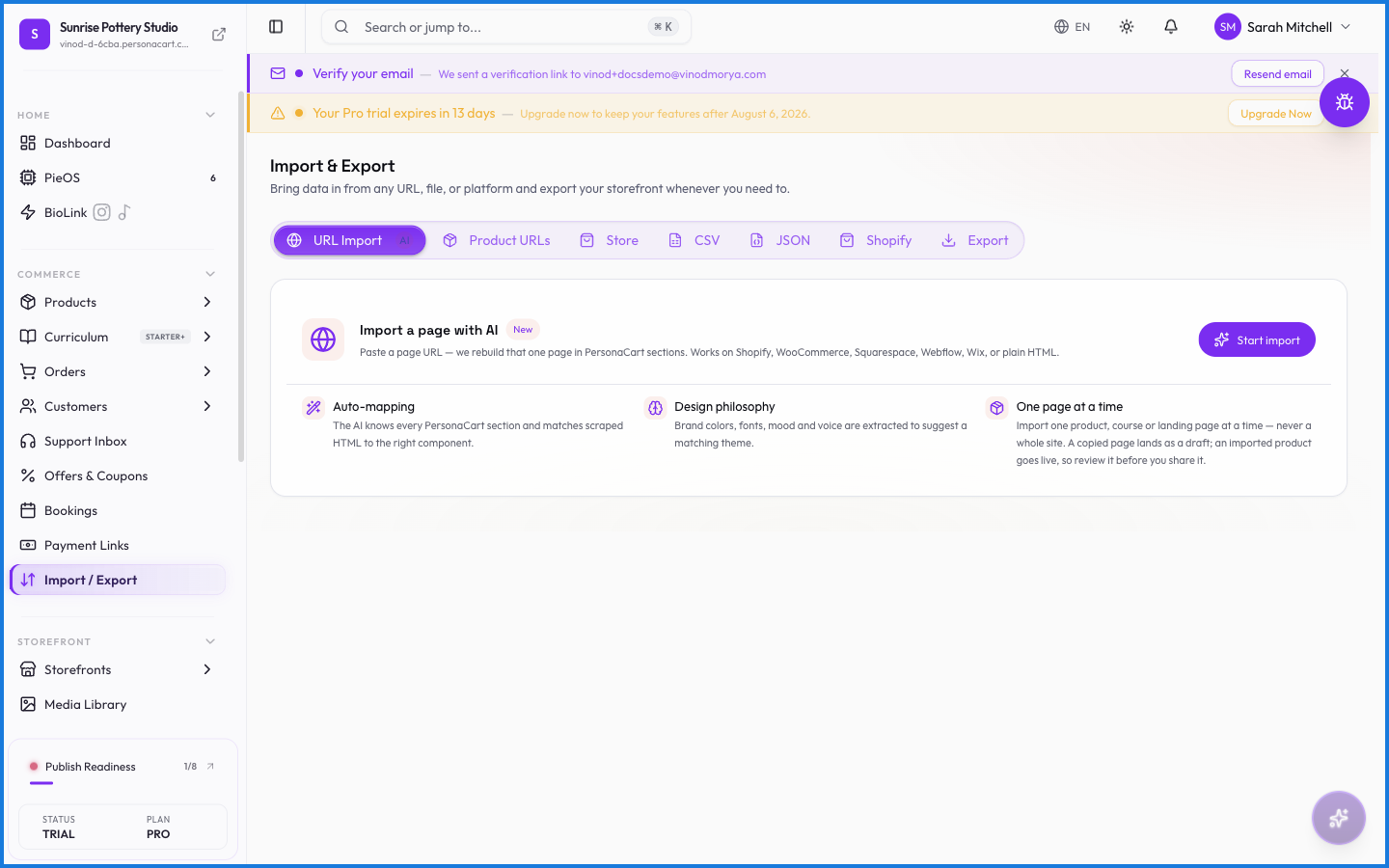
Import & Export is the bulk door for your data. Bring a catalog or customer list in from a spreadsheet, or take your products, orders, and customers out as CSV files — for a backup, a migration, or a look in Excel.
Where to find it
Sidebar → COMMERCE → Import / Export.
Importing
Upload a CSV to add records in bulk instead of one at a time — handy when you're moving in from another platform or launching a big catalog. You map your spreadsheet's columns to PersonaCart's fields, and the import creates the records.
Exporting
Export sends a dataset out as a CSV: your product catalog, your orders, or your customer list. Individual pages also have their own export buttons (Orders, Customers), but this page is the one-stop version.
What happens — and what doesn't
- Imports create records from your file — a clean spreadsheet becomes products or customers in one pass.
- Match your columns carefully: the import is only as good as the mapping you give it.
- Exports reflect current data at the moment you run them — they're snapshots, not live feeds.
- Money in exports is in your store currency, so a USD store exports dollars.
Can I bulk-import my products?
Yes. Upload a CSV on the Import & Export page, map your spreadsheet columns to PersonaCart's fields, and the import creates the products in one pass.
What can I export?
Your product catalog, orders, and customers, each as a CSV. Individual pages also have their own export buttons for a filtered subset.
Is an export a live sync?
No. An export is a snapshot of your data at the moment you run it — a file you download, not a connection that stays updated.
What this screen looks like in every state
| State | When you'll see it | What you see, and what to do |
|---|---|---|
| Loading | The screen is fetching your data | A skeleton in the shape of the finished page. It should be brief — if it persists, the load has failed rather than stalled. |
| Error | The data couldn't be loaded | A message with a retry. Retry first: most of these are a dropped request, not a broken store. If it repeats, the outage is upstream and reloading won't help. |