Browsing a store
Before anyone buys, they browse. A PersonaCart storefront gives shoppers a clean shop grid, product pages with the details that matter, and a way to find what they're after. This page walks the buyer's first steps — the ones that happen before the cart.
The shop
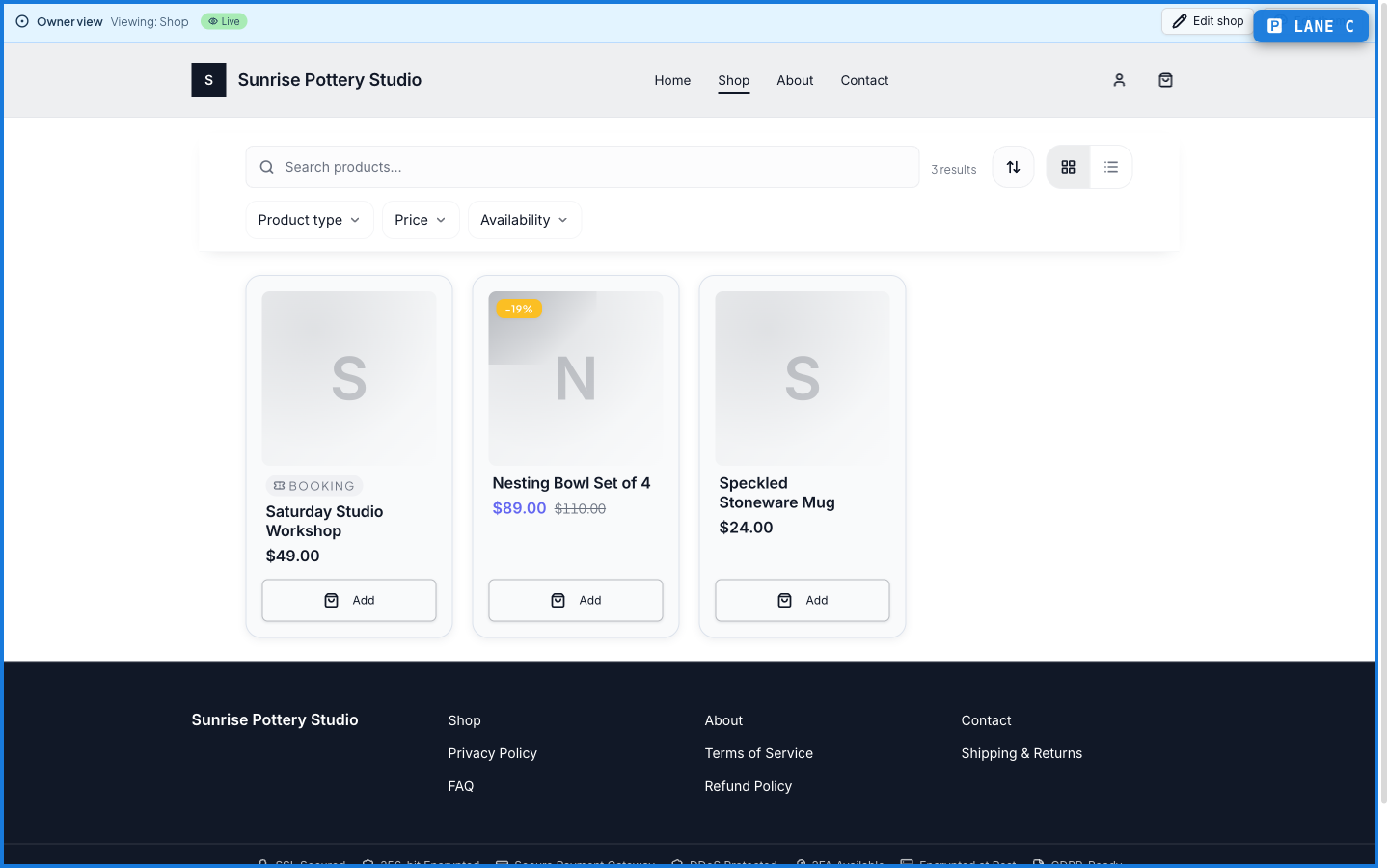
The shop lists everything the store sells — physical goods, digital downloads, courses, workshops — as cards a shopper can scan and tap.
A product page
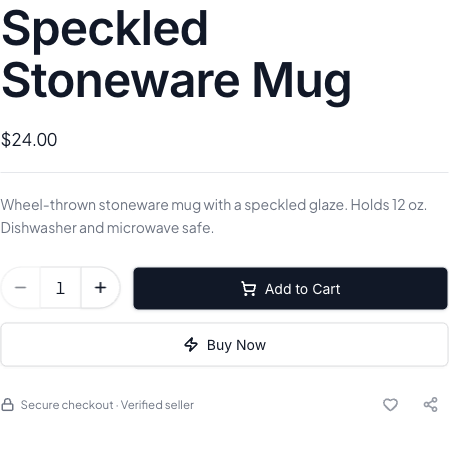
Tapping a card opens the product page — the name, price, description, and the buttons that start a purchase: Add to Cart to keep shopping, or Buy Now to go straight to checkout.
What happens — and what doesn't
- Every product page shows the price up front — no surprises before checkout.
- Add to Cart keeps the shopper browsing; Buy Now jumps straight to checkout for a fast single-item purchase.
- Products can be physical, digital, a course, or a bookable session — the shop holds them all in one place.
- Browsing needs no account — a shopper only signs in when they're ready to check out or track an order.
Do shoppers need an account to browse a PersonaCart store?
No. Anyone can browse the shop and product pages without signing in. An account only comes into play at checkout or when tracking orders.
What's the difference between Add to Cart and Buy Now?
Add to Cart keeps the shopper browsing and collects items to check out together. Buy Now skips the cart and goes straight to checkout for a single item.