BioLink reviews
In short: Approve or reject the reviews buyers leave on your BioLink products, and switch reviews on or off.
When someone buys a product from your BioLink, they can rate it and write a few lines. Those reviews appear on that product's page, with an average rating and a count, and they build trust with the next visitor. The Reviews view is where you keep an eye on them.
Where to find it
Sidebar → HOME → BioLink → Audience → Reviews. The Audience tab has two views: People (your leads, see Insights and audience) and Reviews.
If you open the old address /growth/biolink-studio/reviews, it takes you to the same place.
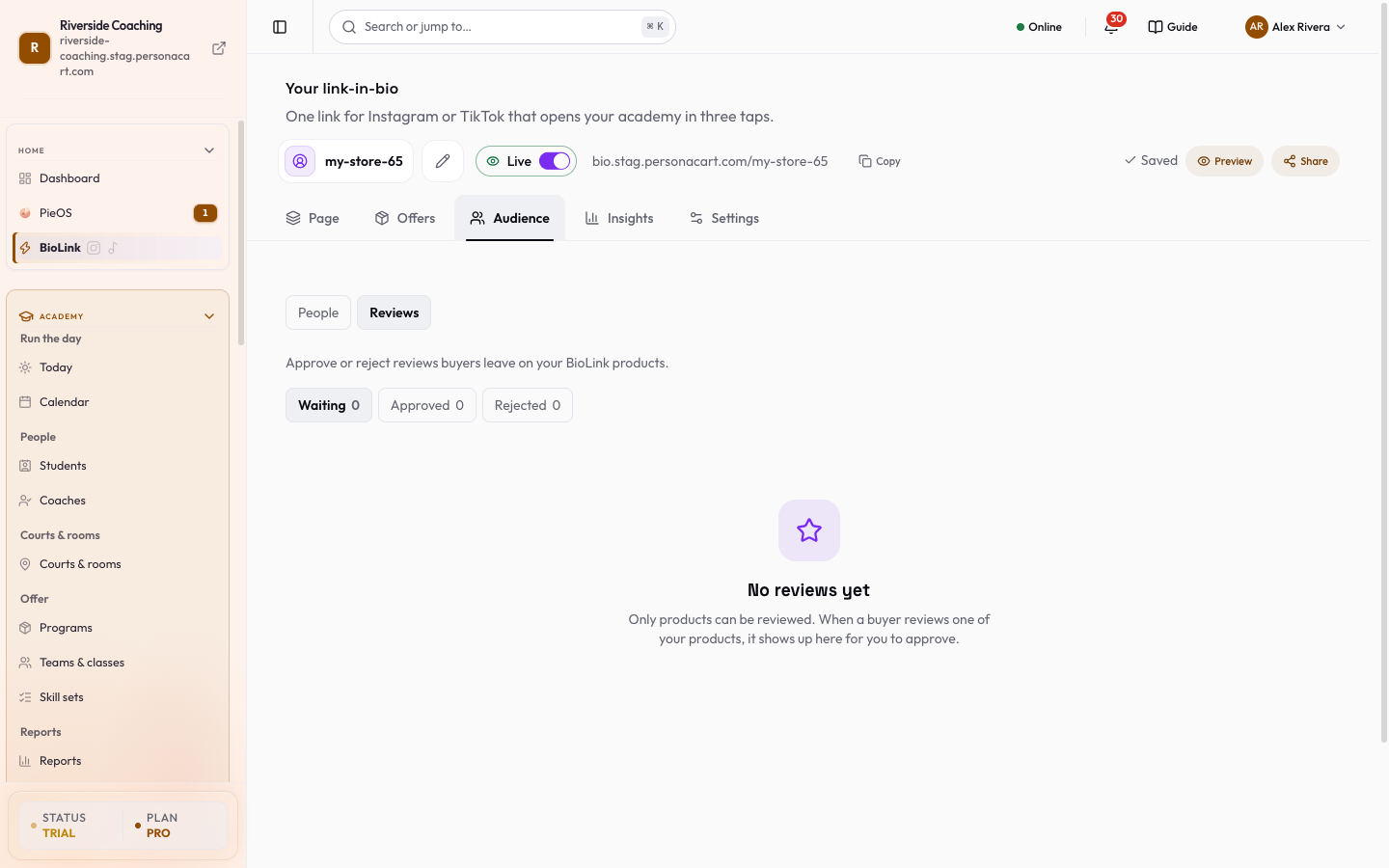
What the screen shows
The page is titled Product reviews, with the line "Approve or reject reviews buyers leave on your BioLink products." A note, New reviews wait here first, says a review shows on your BioLink page only after you approve it. Above the list are three figures: the average rating (from your approved reviews), waiting for you and rejected. Under them are three tabs, each with a count, and a Search reviews box:
| Tab | What is in it |
|---|---|
| Waiting | New reviews that need your decision. The view opens here. |
| Approved | Reviews visitors can see on the product page. |
| Rejected | Reviews you kept off your page. |
Each review shows the buyer's name (or Verified buyer when no name is on file), a star rating out of 5, Verified purchase, an optional title, the text, the product and the date. A preview, How it looks on your page, shows the review you pick.
The buttons depend on the tab. Waiting reviews have Approve and Reject. Approved reviews have Hide, which takes the review off your page. Rejected reviews have Restore. When more than one review is waiting, Approve all (with the number) approves them together after you confirm; you can also tick several rows and use Approve or Reject on the whole selection.
If the list cannot be loaded, the screen says "Couldn't load reviews." and offers Try again. With nothing to show you see No reviews yet.
Who can leave a review
- Only products can be reviewed. Sessions, events, tips and links cannot.
- Only a verified buyer can review: someone with a paid order for that product.
- Each buyer can review a product once.
- A review has a rating from 1 to 5 stars, an optional title (up to 200 characters) and optional text.
- A new review waits on the Waiting tab. It shows on the product page only after you approve it. Reviews are written by your buyers, so read the ones you receive before you approve.
The Reviews switch
Reviews have one master switch for your whole account in Settings → Reviews. When it is off:
- The Reviews view disappears from the Audience tab, even if you open an old link to it.
- No new reviews are accepted, and none are shown on your BioLink product pages.
- Existing reviews are kept, and come back when you turn the switch on again.
Turn it on to collect and show reviews again. That page also holds the review-request email settings for your store.
Good to know
- A review is public only while it is on Approved. Hide or Reject takes it off your public product page right away.
- The list shows your newest 200 reviews. The count on each tab is out of those.
Review text is public. If a review shows a customer's personal details, reject it (or hide it if it is already approved).
Questions
Why is the Reviews view missing from my Audience tab?
Reviews are switched off for your account. Turn them on in Settings → Reviews and the view returns.
Can a buyer review a session or an event?
No. Only products can be reviewed, and only by someone who paid for that product.
Can I edit what a buyer wrote?
No. You can approve, reject or hide a review, but the words stay as the buyer wrote them.
Can I bring back a review I rejected?
Yes. Open the Rejected tab and press Restore.
Related
Part of BioLink: a link-in-bio page that sells · Product page: BioLink