BioLink plan and platform fee
In short: What the BioLink plan includes, how the platform fee works when you sell from your page, and how to compare plans and upgrade.
BioLink is built so you can start without paying anything up front. You get the page, the studio, and the ability to sell and take bookings from it. When you sell, PersonaCart keeps a platform fee on your plan from each sale. Higher plans bring a full store and different limits. This page explains what you see in the app and how to move between plans.
The exact fee for each plan, and the limits, are on Plans, limits and what is included (as of October 2026). The app always shows the current numbers on the plans page and on your Payments page.
Where to find it
- BioLink → Upgrade → BioLink plans. In the studio, the Upgrade button at the top opens this page. It appears only while there is a next step for your plan.
- Settings → Billing for your plan and invoices.
- Settings → Payments for your gateway; its Fees card shows the platform fee that applies to your sales.
What the BioLink plan includes
- The BioLink page with all block types, the Design view and the Offers tab.
- Selling on the page: digital products, locked content, tips, 1:1 sessions and events, with payment links and bookings.
- Insights, the Audience list and email to your leads.
- A custom domain, storage for your images and files, and an analytics window. The numbers for each are on the plans page.
- The full store (products catalog, orders, import and export and the rest of the store) comes with the store plans: Starter, Pro and Scale. A store plan already includes BioLink, so there is nothing separate to buy.
If you open a store-only page while on a BioLink plan, the app sends you to BioLink Studio and a message explains: "That page is part of the store plans. Your BioLink plan includes this studio. Products, orders, import/export and the rest of the store come with Starter, Pro and Scale." The message has a See plans button.
The platform fee
When someone pays through your page, the platform fee on your plan is taken from that sale. On every BioLink plan the fee is a flat 2% of each sale, however much you have sold. Your payment processor's own fees are separate.
On Settings → Billing a BioLink-only store sees this as Platform fee: 2% of each sale.
You can see how it applies in two places:
- Settings → Payments has a Fees card with a Platform fee row (shown once Stripe is connected) (and the payment processor's own fees on a separate row). The Get paid section of BioLink Settings links to it.
- The plans page shows the fee line on each plan card.
Because the fee is part of the plan, moving to a plan with a lower fee affects every sale after the change, not the sales already made.
The BioLink plans page
Open BioLink plans. It has:
- Back to studio, a title (BioLink plans) and a one-line summary.
- A card for the Free plan, marked Current plan when it is yours, with the plan's fee line and what it includes.
- A card for Starter, marked Most popular, with Upgrade to Starter. This opens the store plan picker, the same checkout used for every store upgrade.
- What would each plan cost me? Type What you sell in a month, or press one of the Quick amounts. If you have sales, the box is filled from your last 30 days. The table is sorted cheapest first and has the columns Plan, Monthly price, Our fee, Fee on [amount] and Total a month. The cheapest row has a Cheapest tag and your own plan has You. A line under the table says when a plan starts to cost less than another ("[plan] costs less than [plan] once you sell more than [amount] a month"), and a chart shows Cost per month as your sales grow.
- Who pays our fee? (the percentage is in the title). Choose I pay it (the fee comes out of each sale and buyers see only your price) or The buyer pays it (buyers see a separate Service fee line at checkout and you keep the full price). It saves at once with "Saved. It applies to new checkouts." This is the same switch as in Settings → Payments.
- Choose my plan opens Best plan for you.- Best plan for you (the dialog that Choose my plan opens) asks six questions about your coaching: how much you use Pie, how many parents and players you email each month, who runs the business with you, how many automatic follow-ups you want, how many players are in your academy, and whether assistant coaches need their own limits. Under each question, a line tells you what the option you picked means. At the bottom, one sentence names the plan that covers all your answers, with a button such as Choose Pro. Clear answers removes your choices and no plan is suggested until you answer again. If you are already on the plan that fits, it says so and shows no button. It is only a guide. Nothing changes until you press the button and confirm in the plan sheet.
- Selling more than links? Explore PersonaCart AI Commerce opens the store plans.
All prices on this page are in US dollars. If the plan details cannot be loaded, the cards show a dash instead of a number, and nothing is guessed.
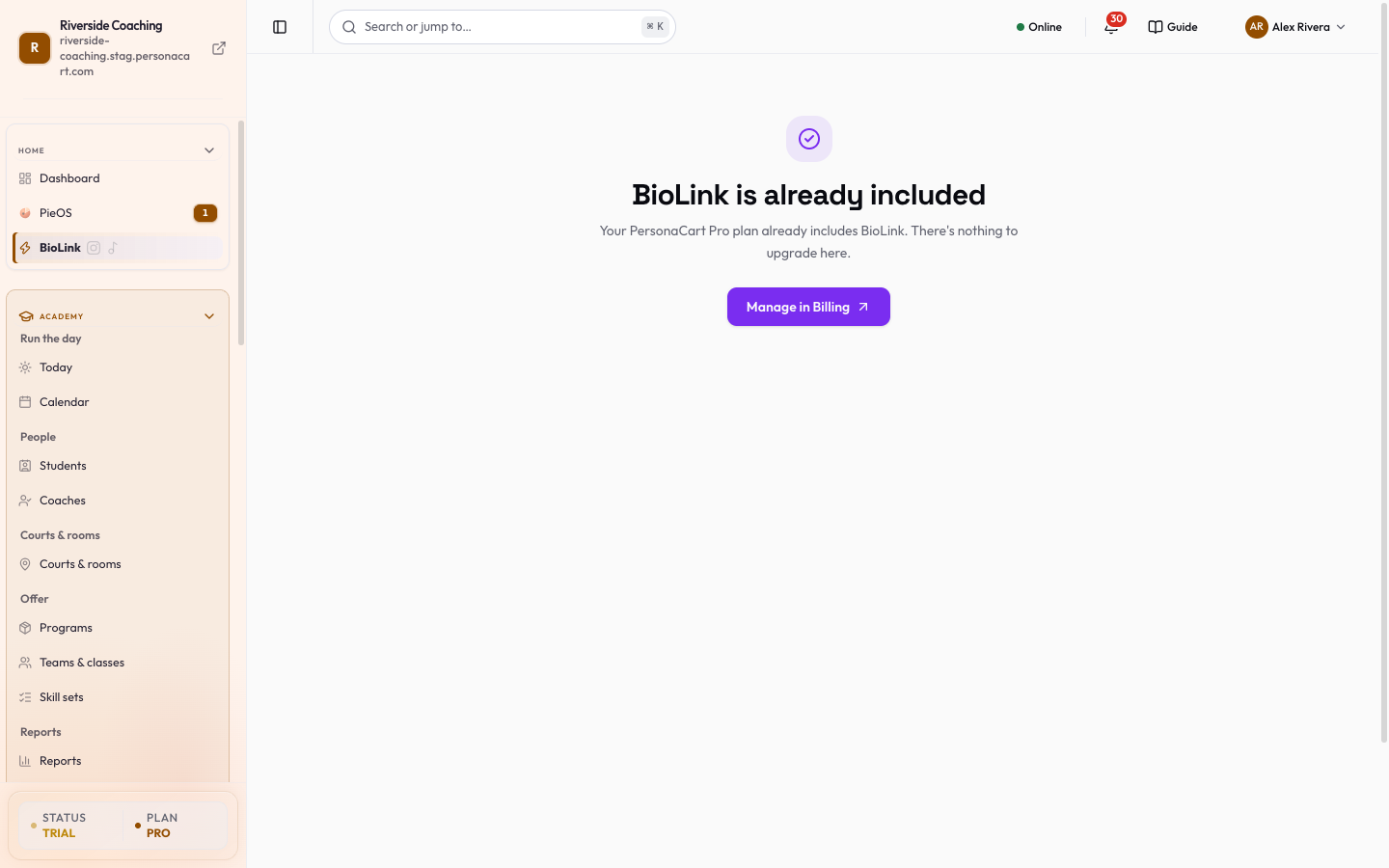
When your plan is a store plan, this page instead says BioLink is already included ("Your PersonaCart plan already includes BioLink. There's nothing to upgrade here.") with a Manage in Billing button.
A suggestion to switch
If you are on the Free BioLink plan and your last 30 days of sales would cost less on Starter (its lower fee on sales is more than its monthly price), the studio shows a banner: "Starter would cost you about [amount] less per month." See plans opens the plan picker, and you can dismiss the banner. It only appears when the numbers say it is worth it.
What changes when you upgrade
- Your BioLink page, handle and blocks stay exactly as they are. Nothing about your link changes.
- Your offers (products, sessions, events) and leads stay where they are.
- You gain the store features of the new plan, and the platform fee and limits of that plan apply from then on.
- The "Powered by PersonaCart" badge can be turned off on Pro and Scale. See BioLink settings.
Good to know
- Check your plan's current fee and limits on the plans page before you rely on them; they can change as plans are updated.
- Moving to a store plan keeps your BioLink. Your free BioLink address and any custom domain keep working.
A plan change affects the fee on future sales only. If you plan a big launch, move to the plan that suits it before the launch. What would each plan cost me? shows the cheapest plan for the sales you type, and Best plan for you shows which plan covers your answers.
Questions
Is BioLink free?
You can start on the Free BioLink plan with no monthly price. When you sell from your page, the platform fee on your plan applies to each sale. Your payment processor's own fees are separate.
Where do I see the fee that applies to my sales?
On Settings → Payments, in the Fees card (Platform fee row), and on the plan cards of the BioLink plans page, which also has **What would each plan cost me?** and **Who pays our fee?**. The exact figures for every plan are on the Plans, limits and what is included page.
Do I pay twice if I have a store and a BioLink?
No. A store plan includes BioLink. If you are on a store plan, the BioLink plans page says BioLink is already included.
Will my link change when I upgrade?
No. Your page, handle and blocks stay as they are.
Related
Part of BioLink: a link-in-bio page that sells · Product page: BioLink