BioLink editor
Your BioLink is the one page you put everywhere — the link in your bio, the tap-through from a video, the QR on a flyer. It holds everything you want people to reach: your links, your products, your content, in the order you choose. The editor is where you build it, block by block.
Where to find it
Sidebar → GROW → BioLink Studio.
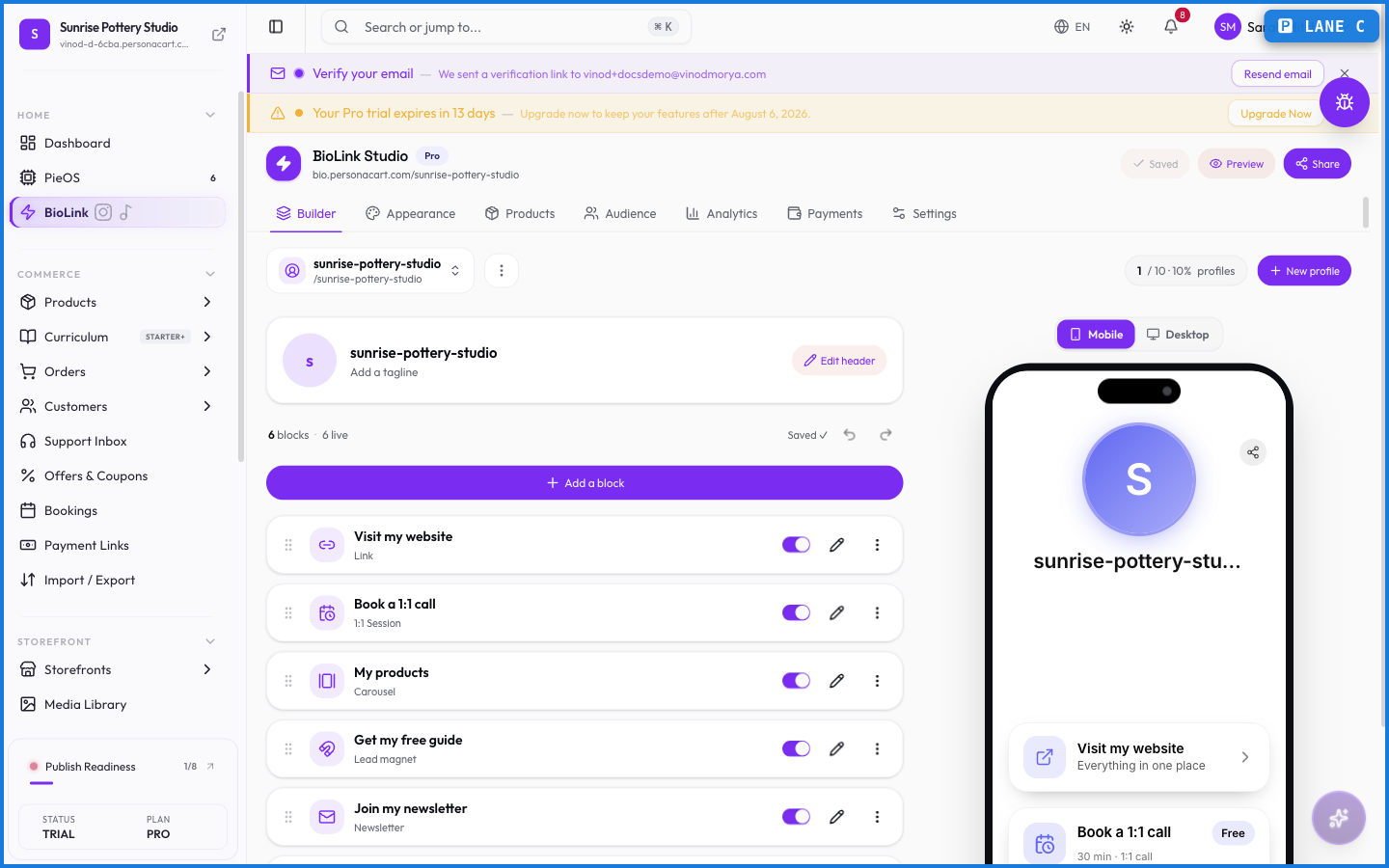
Building the page
What happens — and what doesn't
- One BioLink page holds many blocks — links, products, content — so a single URL covers everything you share.
- You control the order, so the thing you most want tapped sits where it gets tapped.
- BioLink is on every plan, though higher plans lift limits like custom domains.
- A BioLink is a link hub, not a full storefront — for a full multi-page store, that's the storefront editor. The two live side by side.
What is a PersonaCart BioLink?
It's your link-in-bio page — one URL that holds all the links, products, and content you point people to, arranged in the order you choose. You build it in BioLink Studio and drop the link into any bio.
Can I sell products from my BioLink?
Yes. You can add product blocks to your BioLink so people buy straight from the page, alongside your links and content.
Is BioLink available on the free plan?
Yes, BioLink is available on every plan. Higher plans raise limits such as connecting your own custom domain.
Every field on this screen
Every field on a BioLink block. Read straight from the live app, so it matches what you see.
| Field | Type | What it accepts | What it does |
|---|---|---|---|
| Audience | Long text | — | |
| Message | Long text | — | |
| Subject | Long text | — |
3 fields, read from the live app. Which ones you see depends on the product type and your plan.