Custom domains
In short: Put your BioLink on a web address you own, such as links.yourbrand.com. Add the domain, add the DNS records and watch it go live with HTTPS.
By default your BioLink lives at a free PersonaCart address, bio.personacart.com/<handle>. A custom domain puts it on an address you own, such as links.yourbrand.com, so the link in your bio reads as your brand. Your free address keeps working as a backup the whole time.
All domains for your store and your BioLink are managed in one place, Settings → Domains. This page covers the BioLink part. The full screen, with every DNS record and status, is described in Domains.
Where to find it
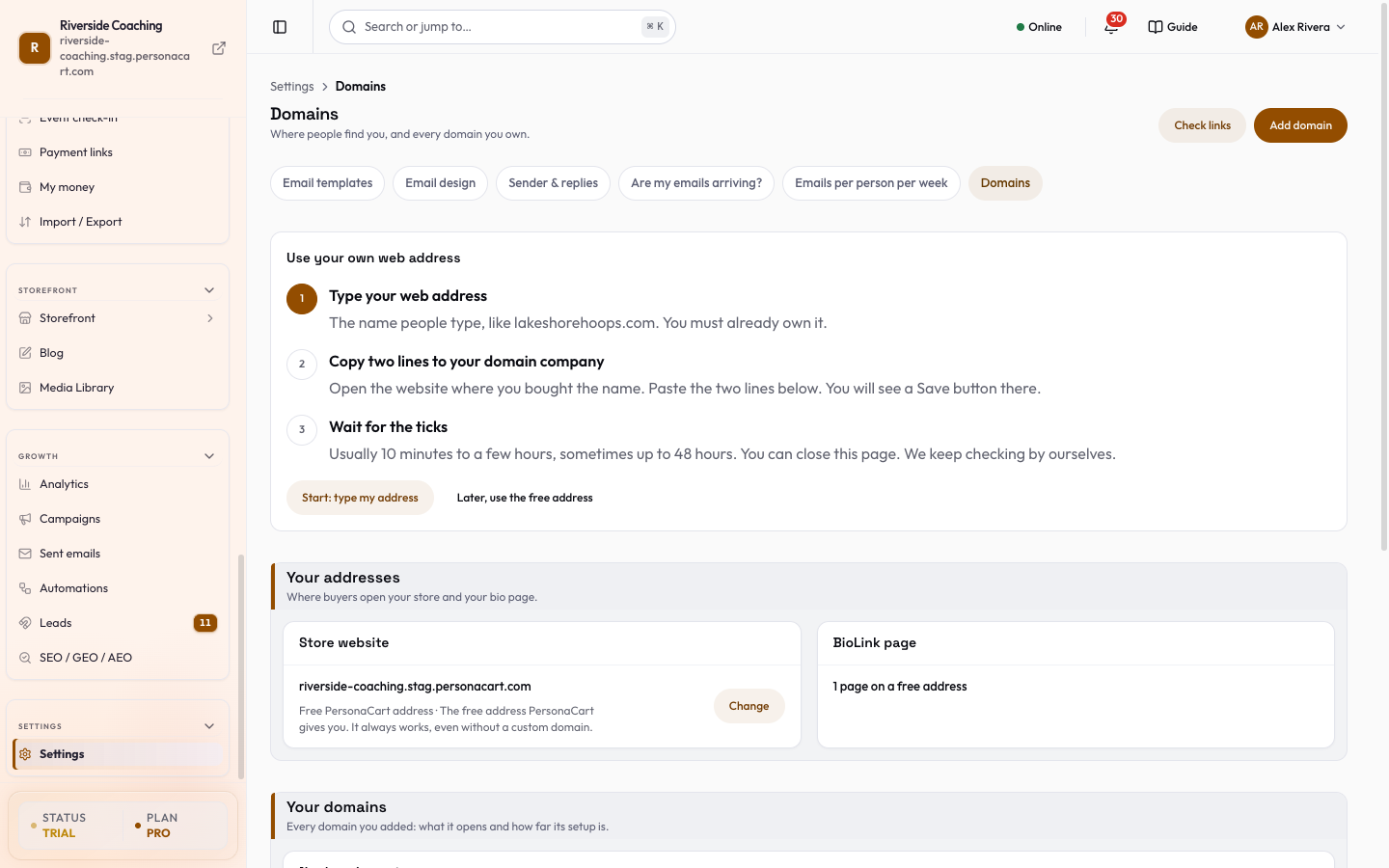
- Settings → Domains. The BioLink page card shows your page and its address.
- In BioLink Studio, Settings tab → Your link → Your own domain. The row shows the connected domain, or "None yet", with a Set up in Domains (or Manage in Domains) button that opens the screen above.
- The old address
/growth/biolink-studio/domainstakes you to Settings → Domains.
Connect a domain to your BioLink
You can use a subdomain such as links.yourbrand.com (recommended) or a root domain such as yourbrand.com. You must already own the domain.
The DNS records
The domain's row opens a sheet, Add these records at your DNS provider, then verify. Each record has a Type, a Name / Host and a Value, with a short line saying what it is for:
- Routing record: points your domain at PersonaCart. A root domain (no
wwwor other prefix) uses an A record, because a root domain cannot use a CNAME; if your provider offers an ALIAS or ANAME record at the root you can use that instead, and you add only one of the two. The sheet shows the exact type for your domain. - Ownership TXT record: proves the domain is yours.
- Certificate TXT record: lets PersonaCart issue and renew your HTTPS certificate. Add it once, it never changes. If an
_acme-challengeTXT record is already there, delete it first.
A status for each record shows Found, Missing, Different value or Not checked yet. Copy all records copies the set. Keep the records in place afterwards: if one is deleted, your domain stops working and can be disconnected automatically.
What the status means
The setup strip runs DNS, Ownership, Certificate, Live. The pill on the row says where you are:
| Pill | Meaning |
|---|---|
| Your turn | A record is missing or has a different value. The row says which one. |
| Securing | "Our turn, nothing to do": PersonaCart is issuing your certificate, usually about a minute. |
| Live | The domain opens your page over HTTPS ("Serving bio page"). |
| Stopped working | A record was removed or changed, or the certificate failed. Visitors see your free address until you fix it, then press Check now. |
PersonaCart checks automatically for 14 days after you add a domain, and keeps re-checking live ones and renewing their certificates.
If the domain is verified but not connected to anything, it shows "Ready. Connect it to your store or a bio page." Open the row and choose Connect to…, then pick your BioLink page.
A domain connected to your BioLink only opens a page that is published. If the status says "The connected page isn't published yet", press Publish in BioLink Studio.
Change, disconnect or remove
- Connect to… / Change target: move the domain to your BioLink page or your store.
- Disconnect: your page goes back to its free PersonaCart address. The domain stays on your list, so you can connect it again later.
- Remove: takes the domain off your list. Your page moves back to its free address, and existing links, QR codes and SEO for that domain stop working. You would have to add and verify it again to use it later.
- To delete your BioLink page, disconnect its domain first.
Good to know
- How many custom domains your plan includes is on Plans, limits and what is included. If your plan does not include one, the BioLink card shows See plans.
Removing or disconnecting a domain sends visitors to the free address. If you printed the custom address on flyers or QR codes, those will stop working.
Questions
Can I use my own domain for my BioLink?
Yes. Add the domain in Settings → Domains, choose BioLink as its target, add the DNS records at your domain company, and PersonaCart connects it and issues HTTPS automatically.
Do I lose my BioLink if I don't have a custom domain?
No. Every BioLink works on its free PersonaCart address. A custom domain is an extra, not a requirement.
How long does it take?
DNS changes usually take 5 to 15 minutes to show, sometimes longer. You can close the page; PersonaCart keeps checking for 14 days.
Can the same domain serve my store and my BioLink?
A domain opens one place. Use a subdomain for each, for example shop.yourbrand.com for the store and links.yourbrand.com for your BioLink.
Related
Part of BioLink: a link-in-bio page that sells · Product page: BioLink