Academy activity
In short: A plain-language diary of who did what in your academy: children, enrollments, attendance, coaches and settings. Filter it, and see what is worth a look.
Activity answers "who did what, and when" in your academy. When you or a coach marks attendance, moves a child, writes to a family or changes a setting, a plain sentence is added here. The owner and team members who have Settings access can see it. A coach cannot.
Where to find it
- Academy → Activity by its address.
- In Reports it is the Change history tab (see Academy reports).
- It is the Academy-only view of your store's full log in Settings → Activity. Same data, narrowed to Academy.
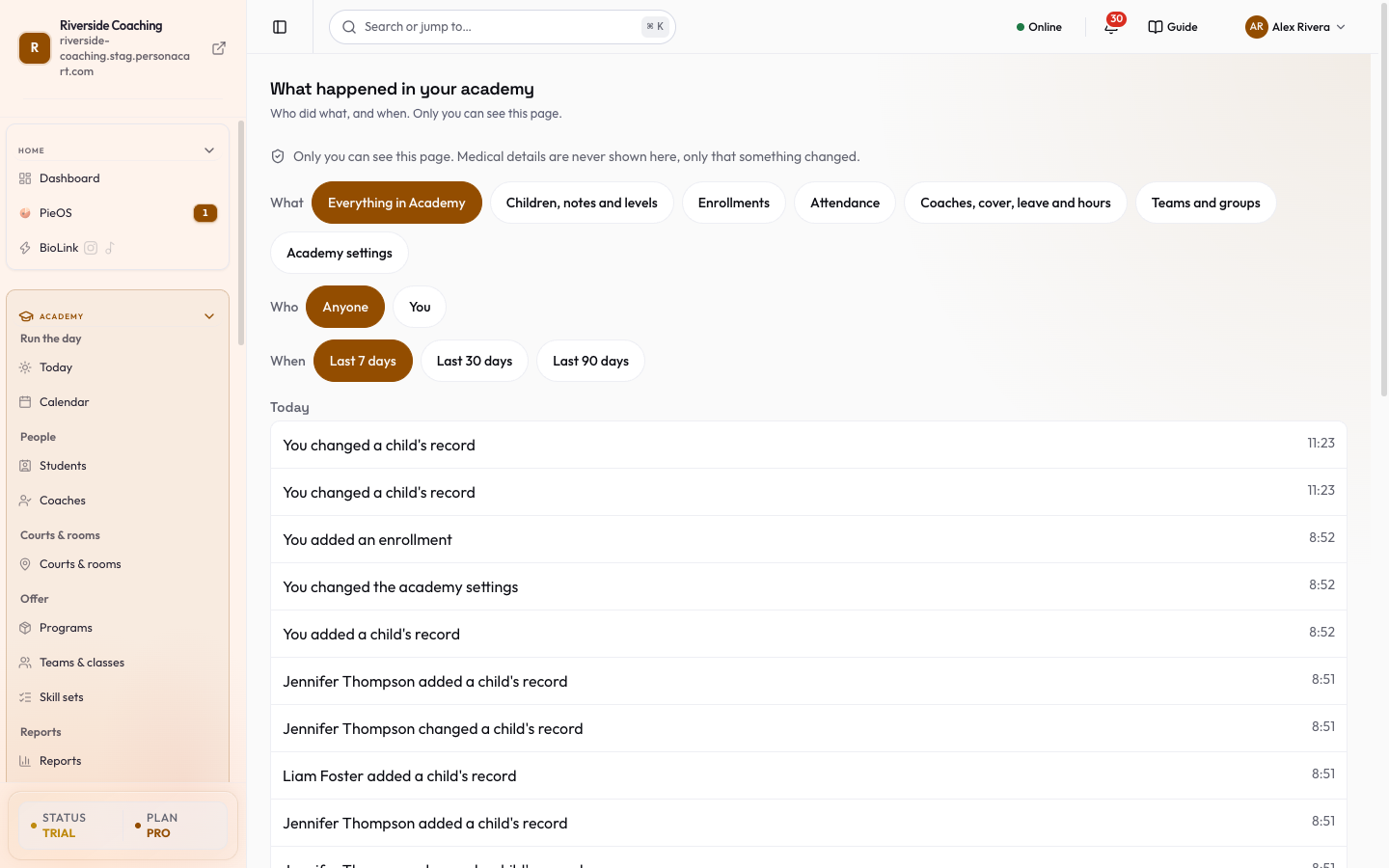
The page title is What happened in your academy, with "Who did what, and when. Only you and people you gave Settings access can see this page." A coach who opens it is told: "Coaches cannot open this page. It is for (owner name) (the owner) and team members with Settings access." No diary is shown.
"Medical details are never shown here, only that something changed."
Academy pages show in your menu only when Academy is on. The store owner or an admin turns it on in Settings → Academy.
Filters
| Filter | Choices |
|---|---|
| What | Everything in Academy, Children, notes and levels, Enrollments, Attendance, Coaches, cover, leave and hours, Teams and groups, Academy settings. |
| Who | Anyone, You, or one of your coaches who has a login. |
| When | Last 7 days, Last 30 days, Last 90 days. The standard is 7 days. |
If nothing matches, the page says "Nothing in (what) in the last (days) days. Try a longer time, or press Everything in Academy." Show everything clears the filters.
What a row looks like
Days are grouped (Today, Yesterday, then dates). Each row is a sentence with the time:
- "You marked attendance for 9 children"
- "Coach Darnell marked attendance"
- "You changed the academy settings"
- "You added a child to a team", "You took a child off a team"
- "You gave money back"
- "You changed a child's record"
- For other changes: "You added / changed / removed (a coach's details, a team, an enrollment...)"
Most rows do not say which child, team or class it was, and a row is not a link: you cannot open the child or team from it. Open the child or team page to see what it looks like now. Show earlier loads older rows.
Worth a look
At the top, a short list of things we flag for you. It says "Not a sign that anyone did wrong":
- Refunds to look at (a count).
- Medical information changed for a child, with who changed it and when. The details are not shown.
- The family list was downloaded, with how many times.
Each has a Look button that opens the place to check.
Empty page
A new academy shows "Nothing has happened yet. That is normal." with three steps: take attendance at a practice, add a child or invite a coach, come back here to see who did what. Open Today takes you there. An example diary is shown, marked as an example, and is not saved.
Good to know
- Activity is a record, not a control. "To change something back, open the child or team and change it there."
- A single child's history is also on that child's own page. See A child's page.
Questions
Can a coach see this page?
No. A coach sees a note that the page is for the owner and team members with Settings access. The owner and those team members can see it. Nobody can change it.
Does it show what a parent changed?
It shows changes made in your academy, including a parent changing medical information, as 'something changed'. The medical text itself is never shown.
Where is the full log of the whole store?
In Settings, Activity. This page is that log narrowed to Academy.
Related
Part of Academy overview · Product page: Academy